


The complete used laptop guide for Bangladesh in 2026. Real prices from ৳14,500 to ৳3,50,000+, honest brand comparisons, a 10-point pre-purchase checklist, and warranty rules that actually matter. Written by Digital Computer Shop — 10+ years of specialising in used laptops from Dhaka and Brahmanbaria.
✅ Since 2015 · 15-day replacement + 5-year service warranty · Physical shop — test before you pay · Dhaka + Brahmanbaria branches
Should you buy a used laptop in Bangladesh in 2026? (Short answer)
Yes — a used business-grade laptop is the best value-per-taka you can spend in Bangladesh right now, provided you buy from a shop that gives written warranty and lets you test the machine before payment. For ৳20,000–৳40,000 you can get a 3–5 year old HP EliteBook, Dell Latitude or Lenovo ThinkPad that outperforms most new laptops sold at the same price. These are corporate off-lease machines — they were built for daily 8-hour office use, tested to military-grade drop and thermal standards, and still have 60–85% battery life remaining. The catch: 60% of “used laptops” in Bangladesh come from unaudited stock (Facebook groups, Bikroy, small stalls) with no warranty and often hidden problems — dead battery, failing SSD, missing Windows license, wrong specs on the label. Buy from a physical shop that gives a written replacement guarantee (minimum 15 days) plus long service warranty and lets you run diagnostics before payment. This guide shows you exactly how to do that.
Quick price reference — what your budget gets you (2026 live prices)
| Your budget | What you can get | Best for |
|---|---|---|
| Under ৳20,000 | Dell Latitude 3190 2-in-1, HP EliteBook 840 G1/G2, Lenovo ThinkPad T460 | Basic study, browsing, office documents, kids’ first laptop |
| ৳20,000–৳30,000 | HP EliteBook 840 G4/G5, Dell Latitude 7480/7490, ThinkPad T480s/T490s | Student full-time use, small office work, freelance writing |
| ৳30,000–৳45,000 | HP EliteBook 840 G7/G8, Dell Latitude 7400/7420, ThinkPad T14 Gen 2/3 | Serious office work, coding, remote job, design (light) |
| ৳45,000–৳65,000 | HP EliteBook 840 G9, Microsoft Surface Laptop 4, MacBook Air M1 | Graphic design, video editing (1080p), premium daily driver |
| ৳65,000–৳90,000 | HP Victus 16, Lenovo Legion 5, HP ZBook Firefly 14, MacBook Air M2 | Gaming, 4K video editing, 3D rendering, developer workstations |
| ৳90,000+ | Apple MacBook Pro (M1 Pro/M2/M3), HP ZBook Power/ZHAN workstation, Lenovo Yoga 9i | Professional creative, engineering, high-end gaming |
Stock changes daily. Visit our Dhaka branch or Brahmanbaria branch, or WhatsApp 01609-541305 to check availability for a specific model.
Why used laptops make sense in Bangladesh (2026 market reality)
Buying used gives you 50-70% more computing power for the same money. The reason is simple once you know where used inventory actually comes from.
Bangladesh’s used laptop market is fed almost entirely by corporate off-lease inventory — laptops that were used by employees in the UK, USA, UAE, Singapore, or Japan for 2-3 years and then returned to the leasing company. HP, Dell and Lenovo actually build two very different product lines: consumer laptops (Pavilion, Inspiron, IdeaPad) that are sold new in shopping malls, and business/enterprise laptops (EliteBook, Latitude, ThinkPad) that are sold in bulk to companies under 3-year lease contracts. The enterprise laptops are the ones that end up on the used market in Bangladesh 3-4 years later.
The difference between these two lines is not marketing — it’s build quality:
- Consumer laptops are designed for 4-6 hours of daily use, plastic body, one-year warranty, cheap keyboards, average speakers.
- Enterprise laptops are designed for 10-12 hours of daily use, magnesium-alloy or aluminium body, MIL-STD-810G drop/thermal/vibration tested, spill-resistant keyboards, on-site repair contracts, hot-swappable batteries.
When you buy a 4-year-old HP EliteBook 840 G6 for ৳27,500 in 2026, you’re buying a laptop that was originally priced at ৳1,80,000+ in 2020, that was engineered to run for 6+ years of professional use, and that has 2-3 more years of easy life left in it. A brand-new ৳25,000 laptop today (some no-name brand or a low-end HP Pavilion) has a plastic body, 4GB soldered RAM, eMMC storage, and will struggle to run Windows 11 in two years.
The other reason: Bangladesh’s tech-import taxes have pushed new laptop prices up 25-40% in the last 3 years. A new business laptop that would cost $800 in the US costs ৳1,20,000+ in Dhaka. Used prices are far more forgiving because the depreciation curve is steepest in years 1-3 — by year 4, prices are 15-25% of the original.
The environmental angle: Buying used prevents 300+ kg of e-waste per laptop and skips the manufacturing carbon footprint of a new device (~250 kg CO₂). Not everyone cares about this, but if you do, it’s real.
Who used laptops are NOT for: If you need the very latest processor for a specific reason (video editing 8K, running the newest AAA games at max settings, machine learning training), buy new. Everyone else — students, office workers, freelancers, developers, casual gamers, business owners — the used market gives you objectively better value in 2026.
Ready to see live stock? Browse our full inventory of used business laptops or narrow down by HP EliteBook, Dell Latitude, Lenovo ThinkPad or Apple MacBook.
The 10-point checklist: how to inspect a used laptop before you pay
Before you hand over a single taka, run through these ten checks in front of the seller. A shop that refuses any of these is hiding something — walk away. This checklist is what our own QC team runs on every laptop that enters our inventory. If a seller refuses to let you do these tests, that’s the biggest red flag in the used laptop market.
1. Battery health — the single most important check
Open Command Prompt as administrator and run: powercfg /batteryreport. The report file will open in your browser and show you two numbers: Design Capacity (what the battery could hold when new) and Full Charge Capacity (what it holds now). Divide the second by the first. Above 70% = healthy. 50–70% = usable but plan a replacement in 12–18 months. Below 50% = don’t buy unless the seller replaces the battery. On MacBook: hold Option key + click Apple menu → System Information → Power → Cycle Count and Condition (should say “Normal”; cycle count under 800 for MacBook Air, under 1000 for MacBook Pro).
2. Screen — dead pixel and backlight test
Full-screen a solid black image, then solid white, then solid red, green, and blue in sequence (search “dead pixel test” on YouTube). Look for stuck pixels (always on) or dead pixels (always off). Check for backlight bleeding on the black image — some minor bleeding is normal on IPS panels, heavy bleeding at corners means the screen has been dropped. Look at the screen from different angles — colour should not shift dramatically on IPS/OLED panels. On any Retina/OLED display, check for burn-in by displaying a solid grey image (visible ghosting = burn-in).
3. Keyboard — every single key
Open a text editor or keyboard-test.space and press every single key including F1-F12, arrow keys, Fn combinations, Enter, Backspace, Space. On business laptops especially — check the Trackpoint (red pointer stick on ThinkPad) works if present. Check the backlight (Fn+F5 or Fn+Space on most models). A single dead key means the seller either didn’t test the laptop properly or is trying to hide the problem.
4. Trackpad — gestures and pressure
Two-finger scroll, three-finger swipe, right-click zone (bottom-right corner on most trackpads), physical click (press down). On MacBook, check Force Touch works (firm press until you feel the second click). A worn-out trackpad is a big deal — replacement costs ৳4,000-8,000.
5. Ports — every single one
Bring a USB-A pen drive, USB-C cable, HDMI cable, and 3.5mm headphones. Test each port. USB-C especially on newer laptops — some have Thunderbolt (fast display + charging + data), some have just USB-C data. Verify the port matches the spec. Test the charger works in both USB-C ports on MacBook. Test the SD card slot if the laptop has one. Test the fingerprint reader (Windows Hello) or face unlock camera if present.
6. Wi-Fi and Bluetooth — connect right now
Connect to a real Wi-Fi network (shop wifi or your phone’s hotspot) and do a speed test. Pair a Bluetooth device (your phone). Many “cheap” used laptops on Facebook groups have failed Wi-Fi cards that the seller hides by never turning on wireless during the demo — buyer discovers the problem at home.
7. Speakers and microphone — both channels
Play a stereo test video on YouTube (search “stereo speaker test”). Verify both left and right speakers work at reasonable volume without crackling. Record a voice memo using the built-in mic and play it back. Blown speakers on laptops are common — repair cost ৳2,500-6,000.
8. Fans and thermal — stress test for 10 minutes
Download Cinebench R23 (free) and run the multi-core benchmark for 10 minutes. Feel the underside of the laptop — hot is normal, painful-hot is not. Listen to the fan — a healthy fan is loud but smooth; a failing fan clicks, grinds, or rattles. Watch the CPU temperature (use HWMonitor or the shop’s diagnostic tool) — sustained temperature above 95°C = thermal paste is dead or the fan is failing; sustained below 85°C = healthy. On MacBook, use the Terminal command sudo powermetrics --samplers smc to watch fan RPM and temperature live.
9. Original Windows license — check it’s genuine
Command Prompt: slmgr /xpr — if it says “The machine is permanently activated” or “Windows will notify you when the license expires in a very long time”, the license is genuine. If it says the license expires soon or is not activated, the seller is trying to pass off a pirated Windows install. On business laptops, the original Windows Pro license is usually embedded in the BIOS (called “OEM digital license”) — check by running wmic path SoftwareLicensingService get OA3xOriginalProductKey in admin command prompt. If that returns a product key, the licence is baked into the motherboard and travels with the laptop for life.
10. Storage health — SMART data
Download CrystalDiskInfo (free). Run it. Look at the SSD/HDD row — “Good” (blue) is what you want. “Caution” (yellow) means the drive has some errors — usable but plan replacement. “Bad” (red) means the drive is dying, do not buy. Also look at “Total Host Writes” for SSDs — under 30 TB written for a 256GB SSD is healthy, over 100 TB written means the SSD has been through heavy use and may fail within a year. On MacBook, no equivalent free tool exists — the shop must have their own diagnostic that reports SSD health percentage.
All ten checks take about 20 minutes. Any reputable used laptop shop will let you run them — we do this at Digital Computer Shop for every walk-in customer. If a seller refuses, that’s your answer.
Which brand is right for you? (Honest comparison)
All four major brands sell excellent used business laptops in Bangladesh — the “best” one depends on what you value most. Here’s what 10 years of selling every major brand has taught us about which laptop suits which type of buyer.
HP EliteBook — best all-round pick for Bangladesh
Why it wins in BD: Highest availability, best local repair parts network, competitive pricing across every budget tier, business build quality, and the widest range of screen sizes (13″, 14″, 15.6″). HP is our #1 selling brand in both branches — we sell more EliteBooks than the next two brands combined. The 800-series (EliteBook 840/845 G6 through G11) is the sweet spot: 14-inch screen, magnesium body, spill-resistant keyboard, 4-7 hours real-world battery life (used condition), and excellent Linux compatibility if you’re a developer.

Best models to look for: EliteBook 840 G6 (৳27.5K, 8th gen i5), EliteBook 840 G8 (৳34.5K–41K, 11th gen i5/i7), EliteBook 840 G9 (৳54K–56K, 12th gen i5/i7), EliteBook 845 G9 (৳41.5K, Ryzen 5 Pro 6650U), EliteBook 835 G7 (৳32.5K, Ryzen 5 Pro — great value).
Watch out for: G3-G5 generations (2016-2018) are getting old — battery replacement is expensive and Windows 11 support is limited. Stick to G6 and newer.
Dell Latitude — best keyboard, easiest to upgrade
Why some buyers love it: Dell Latitude keyboards are widely considered the best in the business-laptop market — deeper key travel than HP, quieter than ThinkPad. The Latitude 5000 and 7000 series are also the easiest to upgrade — RAM slots are usually accessible, SSD is standard M.2 form factor. Repair documentation is publicly available on Dell’s website. Second-hand Dell chargers are the cheapest to replace of any brand.
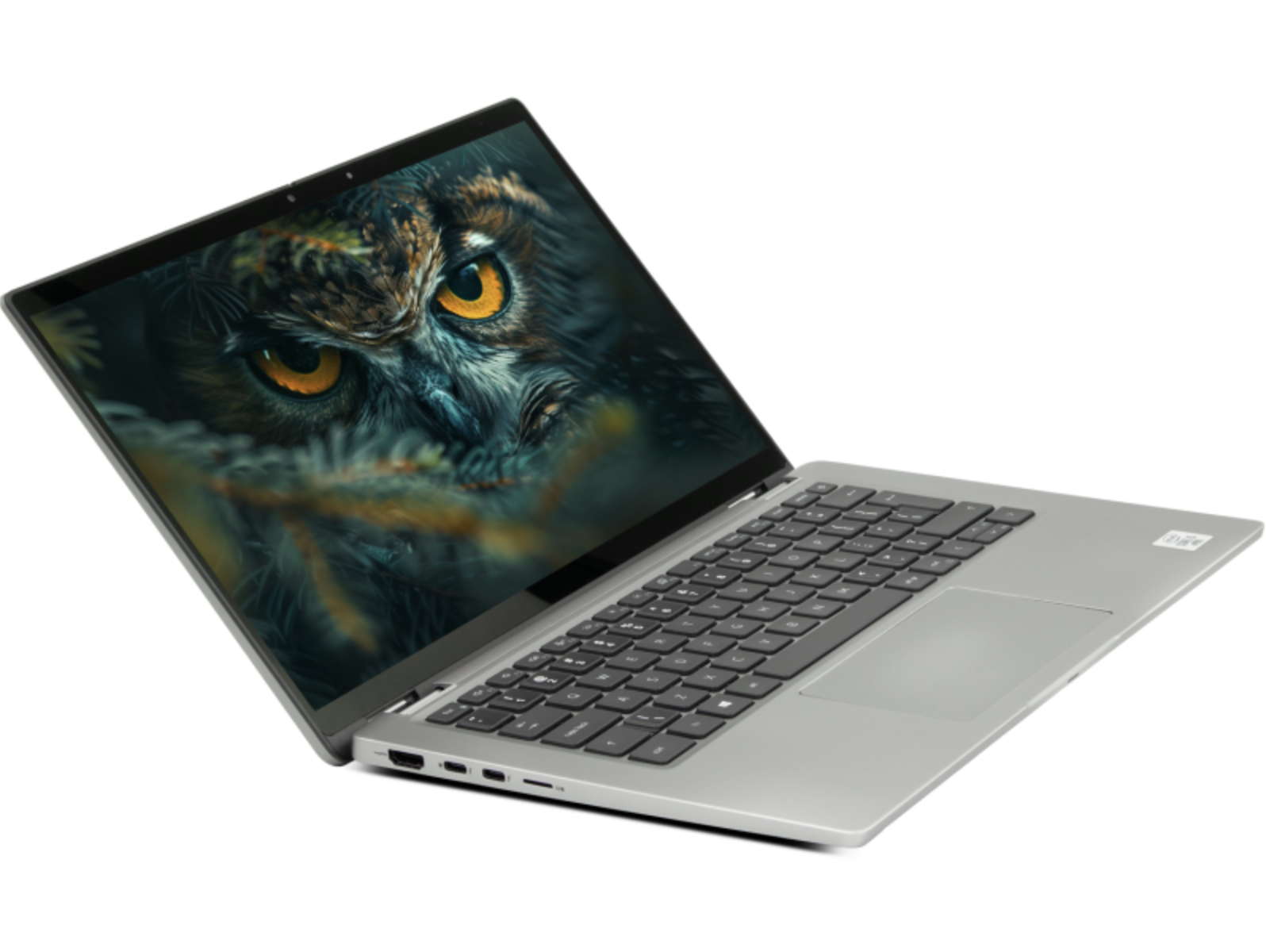
Best models to look for: Latitude 5490 (৳21.9K, 8th gen), Latitude 7410 (৳36.5K, 10th gen, ultra-thin), Latitude 5420 (৳36K, 11th gen), Latitude 7420 (৳36K–43.5K, business ultrabook), XPS 13 9310 (৳60K, premium consumer ultrabook).
Watch out for: Dell’s Latitude E-series (E5450, E7450 etc — pre-2018) — durable but very heavy by 2026 standards, and the trackpads on those generations are dated. Latitude 3000-series (like the 3190) is Dell’s budget line — great for kids and basic use, but don’t expect the same build quality as 5000/7000-series.
Lenovo ThinkPad — the durability champion
Why fans are religious about it: ThinkPads have the best keyboard travel and typing feel of any laptop brand, the Trackpoint (red pointer stick) that some users refuse to work without, and legendary build quality — the T-series and X1 Carbon are still working after 8-10 years of daily use in fields where other laptops have died. If you type all day (writer, coder, journalist, admin work), the ThinkPad keyboard alone is worth the small price premium.
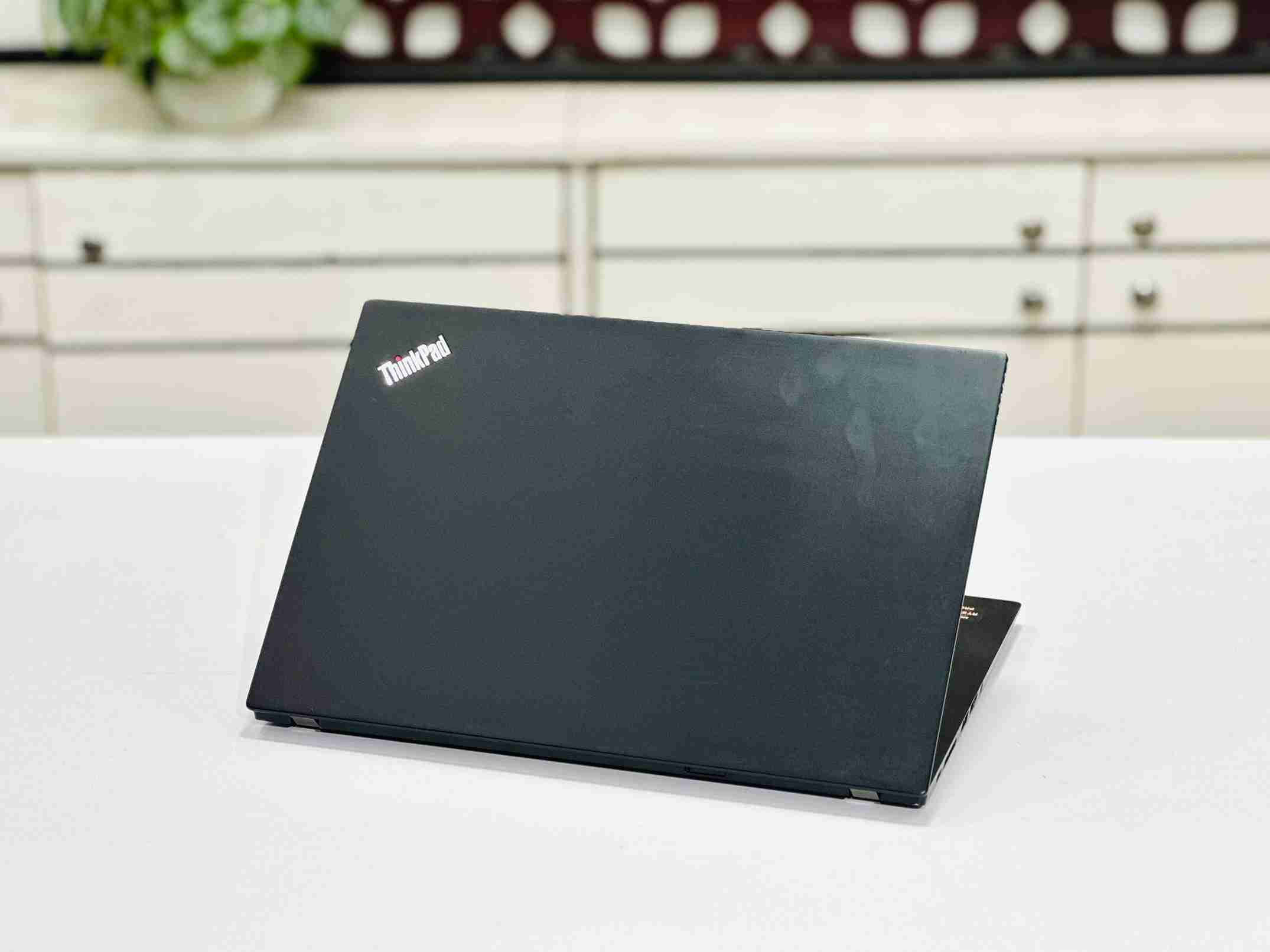
Best models to look for: ThinkPad T480s (৳25.5K, 8th gen), T14s Gen 1 AMD (৳32.5K, Ryzen 5 Pro 4650U — great value), T14 Gen 2 (৳45K–54.5K, 11th gen), X1 Carbon Gen 8 (৳44.5K–52.5K, ultra-thin premium), X1 Yoga (৳43.5K–72.5K, 2-in-1 with pen), P14s Gen 5 (৳86K, workstation-grade).
Watch out for: Very old ThinkPads (T470, T460 and earlier) are cheap but the screens are 768p — painful to use in 2026. Also, IBM-era ThinkPads (T400, T410) are collectors’ items now, not daily drivers.
Browse Lenovo ThinkPad stock →
Apple MacBook — premium choice, best value on the Air line
Why it makes sense used: New MacBook Air M2 costs ৳1,50,000+ in Bangladesh. A used MacBook Air M1 (2020) at ৳56,000 gives you Apple silicon performance for well under half that. MacBooks hold value better than any Windows laptop — a 4-year-old MacBook is often worth more used than a 2-year-old Dell. The M1/M2 chips are absurdly power-efficient (18-hour real battery life), silent (no fan on Air models), and handle video editing / graphic design workloads that would need a much more expensive Windows machine.
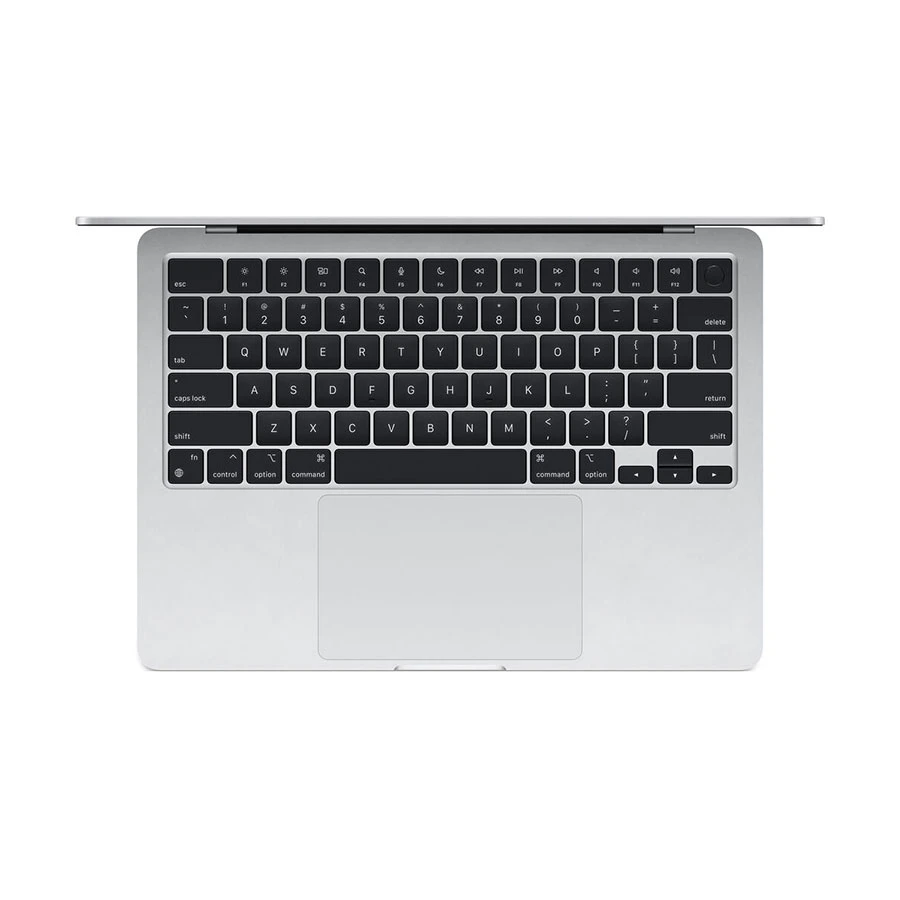
Best models to look for: MacBook Air M1 2020 (৳56K, 8GB/256GB), MacBook Air M2 2022 (৳78K, 8GB/256GB), MacBook Pro M2 13″ 2022 (৳90K, 8GB/256GB), MacBook Pro 14″ M1 Pro (৳1,95,000, professional creative — check current availability, this one moves in and out of stock).
Watch out for: Intel-era MacBooks (2015-2020, before M1) — battery health is critical, thermal issues are common (they get hot), and the value gap vs new M-series isn’t as compelling anymore. Also, “MacBook” laptops on Facebook groups for suspiciously cheap prices (৳25-30K for an M1) are often iCloud-locked stolen devices — never buy a MacBook without checking Activation Lock status first (Settings → General → About → verify serial number on Apple’s coverage check page).
At-a-glance comparison
| Feature | HP EliteBook | Dell Latitude | Lenovo ThinkPad | Apple MacBook |
|---|---|---|---|---|
| Starting price (used, BD) | ৳16,500 | ৳19,500 | ৳20,500 | ৳39,900 |
| Build quality | Excellent | Very good | Excellent (legendary) | Excellent |
| Keyboard | Very good | Best in class | Best in class (tied) | Very good |
| Repair parts (BD) | Widely available | Widely available | Available | Limited (must import) |
| Windows support | Native | Native | Native | Windows via Parallels (paid) |
| Linux support | Excellent | Excellent | Best (kernel devs use ThinkPad) | Poor (Asahi Linux limited) |
| Battery life (used, typical) | 4-7 hours | 4-6 hours | 5-8 hours | 12-18 hours (M-series) |
| Best for | All-round buyers | Typists, upgraders | Coders, writers, road warriors | Creatives, premium buyers |
Budget-wise recommendations — what to buy at every price point
Every price band has ONE clear winner in the current used market — here they are:
Under ৳20,000 — for basic work and kids’ first laptop
At this budget, prioritise reliability over speed. Dell Latitude 3190 2-in-1 (৳14,500–৳16,500) is the top pick — 11.6″ convertible touchscreen, spill-resistant keyboard designed for schools, all-day battery, and it’s Chromebook-alternative if you install Chrome OS Flex. Alternative: HP EliteBook 840 G1 (৳16,500) if you need a full-size 14″ screen.
Best for: kids doing homework, elderly relatives for browsing/YouTube, backup laptop, WhatsApp/Zoom/Word/Excel only.
Skip if: you need to run multiple browser tabs, do video calls with screen sharing, or run any modern game.
৳20,000–৳30,000 — the sweet spot for students and small offices
HP EliteBook 840 G4/G5 (৳23,500–৳31,500) is the pick. 14-inch business laptop, Intel Core i5/i7 7th-8th gen, 8GB RAM, 256GB SSD, magnesium body, backlit keyboard, real 7-hour battery. If you want Dell’s keyboard: Dell Latitude 5490 (৳21,900, 14″). If you want ThinkPad feel: Lenovo ThinkPad T480s (৳25,500, 14″).
Best for: full-time student, freelancer (writing/design), small business owner, backup work laptop for professionals.
৳30,000–৳45,000 — best value tier for serious work
HP EliteBook 840 G7/G8 (৳32,500–৳41,000). 14″ business laptop, 10th-11th gen Intel i5/i7, 16GB RAM options available, 256-512GB SSD, Wi-Fi 6, fingerprint reader, backlit keyboard. This is what most of our office/professional customers buy — the ratio of quality to price is unbeatable in this tier. For Ryzen alternative: EliteBook 845 G8 (৳32,000–৳38,500, Ryzen 5/7 Pro).
Best for: full-time office work, remote job (Zoom + browser + Office all day), coding, light Photoshop, university student who needs 4+ years of use.
৳45,000–৳65,000 — premium daily driver tier
Apple MacBook Air M1 (৳56,000, 8GB/256GB) if you want silent, all-day battery, and macOS. Alternative if Windows-only: HP EliteBook 840 G9 (৳54,000–৳56,000, 12th gen i5/i7, 16GB/512GB), or Microsoft Surface Laptop 4 (৳47,500–৳66,000, 2-in-1 touchscreen).
Best for: graphic designer, video editor (1080p), architect (light AutoCAD/Revit), premium buyer who wants a laptop that lasts 4-5 years without feeling slow.
৳65,000–৳90,000 — gaming and creative tier
HP Victus 16 (৳80,000) or Lenovo Legion 5 (৳73,500) for gaming — RTX 3050-class GPU, 15.6-16″ high-refresh screen, upgradeable RAM/SSD. Alternative: MSI Thin 15 (৳75,000). For creative work: MacBook Air M2 (৳78,000) or HP ZBook Firefly 14 G9 workstation (৳85,000, Windows-only CAD/editing).
Best for: 1080p high-refresh gaming (Valorant, CS2, GTA V, Cyberpunk medium settings), video editing (4K on M2 chip), 3D rendering (basic Blender), developer workstation with Docker/VMs.
৳90,000+ — professional and enthusiast tier
MacBook Pro 14″ M1 Pro (৳1,95,000, when in stock — check current availability) for professional creative work — 16GB unified memory, silicon-optimised for Final Cut Pro, Logic Pro, Xcode. Alternative for Windows workstation: HP ZBook Power 16 G11 (৳1,18,000) or Lenovo Yoga 9i (৳1,07,000–৳1,25,000) for CAD/engineering/high-spec 2-in-1.
Best for: professional videographer, engineer running CAD/simulation software, developer running large-scale local ML models, high-end gaming (2K/4K).
Where to buy a used laptop in Bangladesh — trusted vs risky
Not all “used laptop sellers” in Bangladesh are the same. Here’s the honest breakdown of every option, with the trade-offs.
Physical shops with written warranty — safest option
This is what we do at Digital Computer Shop, and what any established shop should offer:
- Physical inventory you can touch and test before payment
- Written replacement guarantee — 15 days on used laptops, 30 days on open-box — plus 5-year service warranty
- Dead on Arrival protection — full replacement, no arguments
- Original invoice with product serial number
- Post-sale service — battery replacement, keyboard fix, SSD upgrade, thermal paste renewal
- Verifiable business address and Google Business Profile
How to identify a real shop: Google the shop name → check Google Business Profile (should have real photos, real reviews from years back, verified address). Search their name on Facebook — real shops have pages with post history going back years, not months. Visit the shop in person — a real used laptop shop has 50+ units in display, not 5.
Trade-off: Prices are 10-15% higher than random Bikroy listings — because you’re paying for the warranty, the QC time, and the shop’s ability to replace a bad laptop if something fails in the first month. Worth it for anyone who doesn’t want to gamble.
Bikroy / OLX / online marketplace listings — high risk, sometimes worth it
Realistic breakdown of Bikroy used laptop listings:
– ~30% are legitimate individual sellers offloading their old laptop honestly
– ~40% are small resellers with no warranty, no return policy, sometimes with hidden problems
– ~20% are stolen/lost/iCloud-locked laptops being flipped
– ~10% are actual scams (photos of a laptop the seller doesn’t own, delivery never happens, or “test at home” laptops that stop working after 3 days)
If you buy from Bikroy:
– Meet in person at a public place (never send advance payment)
– Do all 10 checklist tests from above at the meeting
– Bring cash — never bank transfer before verification
– Check IMEI/serial on manufacturer coverage page (HP, Dell, Lenovo, Apple all have serial lookup)
– Get a written note with the seller’s NID number and phone
– Accept zero warranty risk
Trade-off: You save 10-25% versus a shop, but you’re betting on your own ability to inspect and negotiate. Fine for tech-savvy buyers, dangerous for beginners.
Facebook groups (BD Used Laptop, Laptop Bazar BD, etc.) — mixed bag
Similar to Bikroy in risk profile, but with slightly better community accountability — group admins sometimes ban known scammers, and buyers post seller reviews. Still: no warranty, no return, all-cash, buyer beware. Best used for research (see what price range certain models sell at) rather than direct purchase.
New import laptops sold as “brand new” — often not what they claim
A common tactic in Bangladesh: shops import 6-12 month old refurbished units from Dubai/China and sell them as “brand new” for 20-30% below official new prices. These aren’t scams exactly — the laptops are physically new-condition — but they’re not genuinely new. If the price seems too good for a “new” HP EliteBook or MacBook, it probably is. Ask for the original invoice and manufacture date sticker on the box.
Direct import (personal) — advanced buyers only
If you have a family member in the US/UK/UAE, you can ask them to buy a used laptop there (from Amazon Renewed, eBay Refurbished, or Apple Certified Refurbished) and bring it in luggage. This saves 30-40%. Downsides: no local warranty (if something breaks, you fly to the manufacturer or pay full retail for repair), no BD SIM sticker for warranty verification, and you’re carrying a laptop through customs (usually not a problem up to 1 laptop, but rules can change).
Our recommendation for 90% of buyers
Buy from a physical shop with real warranty and a written replacement guarantee. The 10-15% premium buys you peace of mind and post-sale support that makes the total cost of ownership lower over 3-4 years. That’s what we offer at Digital Computer Shop — visit our Dhaka branch at Shop-22 Suvastu Arcade (ICT Bhaban), New Elephant Road, or our Brahmanbaria branch, or WhatsApp us at 01609-541305.
Warranty and DOA — what to actually expect
“15-day replacement + 5-year service warranty” means different things at different shops. Here’s what the real used laptop industry standard should be, and what we offer at DCS.
What DCS warranty covers (industry-standard, honestly stated)
15-day replacement + 5-year service warranty — for all used laptops:
– Motherboard failure — full repair or equivalent replacement
– Screen failure (not physical damage) — full repair
– Keyboard failure — full repair
– SSD/HDD failure — full replacement with equal or greater capacity
– Charger failure — free replacement
– Fan failure and severe overheating — full repair
– Wi-Fi/Bluetooth card failure — full repair
Open-box laptops: 30-day replacement guarantee + 5-year free service warranty (labor cost only, parts extra): Same coverage as above.
What is NOT covered (industry-standard exclusions — same at every honest shop):
– Battery — declared with health % at sale, replacement available at cost (৳3,500–৳12,000 depending on model)
– Physical damage (drops, cracks, water spill)
– Loss or theft
– Software issues (Windows license, driver conflicts) — free help but not repair
– Software you install that damages the OS (viruses, unauthorised modifications)
15-day replacement guarantee (Dead on Arrival) — the important small print
Any laptop from us that develops a hardware failure within 15 days of purchase gets a full replacement with an equivalent (or better) model. This is the single most important protection you get from buying at a physical shop instead of Bikroy. Save your original invoice and box.
Battery — the honest disclosure standard
Every used laptop we sell has its battery health tested and disclosed in writing on the invoice. A used laptop with 60% battery is not a defect — it’s normal wear. If you want a fresh battery, you can either buy a laptop that already has 85%+ battery (usually newer models, priced higher), or add a battery replacement at time of sale (৳3,500 for HP/Dell/Lenovo standard batteries, ৳8,000-12,000 for MacBook batteries). Any shop that claims all their used laptops have “100% new battery” is either lying or has replaced batteries with cheap third-party units that will die in 6 months.
Common mistakes to avoid — what buyers regret most
These are the top complaints we hear from customers who bought elsewhere and came to us for repair. Learn from other people’s expensive lessons.
Mistake 1: Buying based on RAM/SSD size alone
Someone posts a Facebook ad: “Laptop, 16GB RAM, 512GB SSD, ৳20,000”. Sounds like a steal. Almost always, the CPU is 6-7 years old (Core i5 6th gen or older), the screen is 768p, the battery is dead, or the SSD is a cheap unbranded unit. RAM and SSD are cheap to upgrade — CPU, screen, and chassis are not. Look at the CPU generation first (Intel 8th gen or newer, Ryzen 3rd gen or newer, Apple M-series). Everything else is negotiable.
Mistake 2: Not testing before payment
Some sellers rush the sale — “just jump-start the battery, you can check it properly once you get home”. Never. If a laptop won’t power on and boot to Windows/macOS at the seller’s location, do not pay. If the seller says “just for you, home delivery”, but won’t meet at their shop or a public place — walk away.
Mistake 3: Trusting screenshots of Windows genuine activation
A common scam: seller shows Windows activated in Settings, but it’s a temporary activation using KMS crack or a leaked corporate license that will expire in weeks. Run slmgr /xpr in admin Command Prompt and screenshot the result. If it doesn’t say “The machine is permanently activated”, get a written commitment from the seller that they will provide a genuine license if activation fails.
Mistake 4: Skipping battery health verification
Buyers focus on screen and speed, forget the battery, and 3 months later the laptop is a desktop tied to a wall socket. Always run the battery report before payment (Windows: powercfg /batteryreport; MacBook: Option + Apple menu → System Info → Power). If the seller can’t or won’t run it, that’s a red flag.
Mistake 5: Ignoring the wear on hinges and screen bezel
Hinges are the most common physical failure on used laptops. Open and close the laptop slowly — feel for grinding, uneven resistance, or looseness. Look at the screen bezel — a cracked or lifted bezel usually means the laptop was dropped and the internal frame is stressed. These are ৳3,000-8,000 repairs that turn a “cheap” laptop into an expensive one.
Mistake 6: No original charger
The original manufacturer charger matters — third-party chargers can undercharge or overheat the battery. Verify the charger is genuine (real HP/Dell/Lenovo logo, matching wattage sticker) or negotiate ৳1,500-3,000 off if not.
Mistake 7: Buying a MacBook without checking Activation Lock
Every year we see 3-4 walk-in customers who bought a “cheap” MacBook on Bikroy and can’t sign into iCloud because the original owner didn’t remove Activation Lock. The laptop becomes a paperweight — Apple won’t unlock it without proof of purchase (which the original scammer has). Before buying any Mac: settings → General → About → check the serial number on checkcoverage.apple.com — you should see “Activation Lock: Off” and “Warranty: (some status)”. If you can’t verify this, don’t buy the MacBook.
Mistake 8: Skipping the shop review
Before you visit a shop, Google their name + “review”. Read the Google reviews (not just the star count). Check when the last review was posted — a shop with 20 five-star reviews from 2019 and nothing since is probably closed or scamming under a new name. Real shops have a steady flow of reviews across years.
Frequently Asked Questions
How much does a used laptop cost in Bangladesh in 2026?
Used laptop prices in Bangladesh in 2026 range from ৳16,500 for entry-level 2-in-1 models like the Dell Latitude 3190 to ৳2,00,000+ for premium models like MacBook Pro M1 Pro. The most popular price range for students and office workers is ৳25,000–৳45,000, which gets you a good business laptop like HP EliteBook 840 G6-G8, Dell Latitude 5490-7410, or Lenovo ThinkPad T480-T14, all with 8-16GB RAM, 256-512GB SSD, and 4-7 hours real battery life. Prices vary based on generation (Intel 8th gen vs 12th gen makes ~৳15,000 difference), RAM/SSD configuration, and physical condition. Live current prices at Digital Computer Shop — browse full inventory here.
Is buying a used laptop safe in Bangladesh?
Yes, buying a used laptop is safe in Bangladesh if you buy from a physical shop that offers written warranty (minimum 15-day replacement), lets you test the laptop before payment, and has verifiable business credentials (real Google Business Profile, physical address, established Facebook page). Avoid Facebook group / Bikroy purchases if you’re not tech-savvy — 30-40% of those listings have hidden problems. Always run the 10-point inspection checklist before payment, and verify the shop’s reputation via Google reviews from the past year.
Which used laptop brand is best in Bangladesh?
HP EliteBook is the best all-round choice for most Bangladesh buyers — highest availability, best local repair parts network, competitive pricing at every budget tier, and business-grade build quality. Dell Latitude is a close second and has the best keyboard for typists. Lenovo ThinkPad is the choice for coders and heavy typists (legendary keyboard, best Linux support). Apple MacBook (M1/M2) is the best value in the ৳45K-70K premium tier if you want silent operation and all-day battery. There is no single “best” — the right brand depends on your budget and use case.
How long does a used laptop last?
A well-maintained business-grade used laptop bought at 3-4 years old typically lasts another 3-5 years of daily use. So a used HP EliteBook 840 G7 bought in 2026 should easily work until 2029-2031. This is because business laptops are engineered for a 6-8 year lifecycle in enterprise environments, and by the time they reach the Bangladesh used market they’ve usually completed only 40-50% of that lifecycle. Consumer laptops (Pavilion, Inspiron, IdeaPad) don’t have the same longevity — avoid the used consumer lines even if they’re cheaper.
What is DOA warranty?
DOA (Dead on Arrival) warranty means the seller will fully replace the laptop if it develops a hardware failure within a defined period after purchase. At Digital Computer Shop, our replacement guarantee covers any hardware failure that isn’t physical damage or software-caused — 15 days on used laptops, 30 days on open-box — with a replacement laptop of equal or better specs. This is separate from and in addition to the 5-year service warranty.
Should I buy a used laptop or a new one?
For 90% of buyers in Bangladesh in 2026, a used business laptop gives 50-70% more computing power for the same money than a new consumer laptop. Buy new only if you specifically need the very latest processor (for 8K video editing, AAA gaming at max settings, or ML training), or if you need manufacturer warranty across multiple countries (frequent international travellers). For office work, university, freelance, remote job, coding, casual gaming, and design work — used is objectively better value.
Does a used MacBook come with warranty in Bangladesh?
Used MacBooks from Digital Computer Shop come with a 15-day replacement + 5-year service warranty covering motherboard, screen, keyboard, and SSD (physical damage and battery wear excluded). Apple’s own manufacturer warranty is typically expired on used MacBooks. AppleCare+ can be extended within 60 days of original purchase (usually not possible on used units). Battery health is disclosed in writing on the invoice — MacBook batteries with 80%+ health are considered normal for a 2-3 year old machine.
How do I check if a used laptop is stolen?
For HP, Dell, and Lenovo: look up the serial number on the manufacturer’s official coverage/warranty page (support.hp.com, support.dell.com, support.lenovo.com) — legitimate units show original purchase date and warranty status. For Apple MacBook: checkcoverage.apple.com shows Activation Lock status (must be “Off”) and warranty. Ask the seller for the original purchase invoice if possible. Report suspicious deals to Bangladesh Police cyber crime unit — a laptop priced 40%+ below fair market is usually stolen goods.
What is the difference between “used”, “refurbished”, and “open box”?
Used = a laptop that has been used by a previous owner, typically 2-4 years old, with visible signs of use (small scratches, keyboard wear), sold at current used-market prices. Refurbished = a used laptop that has been professionally cleaned, tested, and had worn parts replaced (battery, keyboard, thermal paste) — usually priced 15-25% above pure used, with longer warranty. Open box = a technically new laptop that was opened, tested, or briefly used (return, display unit) — near-new condition, priced 10-20% below new. At Digital Computer Shop we specialise in used and open-box; we don’t use the word “refurbished” because it’s often misused in Bangladesh to describe basic cleaning without any real refurbishment.
Can I upgrade RAM or SSD on a used laptop?
Most business laptops (HP EliteBook, Dell Latitude, Lenovo ThinkPad) have upgradeable RAM and SSD — you can double RAM (8GB → 16GB) for ৳2,500-4,500 and add or upgrade SSD (256GB → 1TB) for ৳4,500-8,000. MacBook (M1 and later) and some ultra-thin models (HP Dragonfly, Dell XPS 13 recent gens) have soldered RAM that cannot be upgraded — buy the RAM configuration you need at purchase. Digital Computer Shop offers RAM/SSD upgrade at time of purchase (cheaper than doing it later) — ask on WhatsApp: 01609-541305.
What warranty do you offer on used laptops at Digital Computer Shop?
Digital Computer Shop provides a 15-day replacement guarantee (covers Dead on Arrival and manufacturing defects — replacement only, not refund) plus a 5-year free service warranty (labor cost only, parts extra) on every used laptop we sell. Open-box laptops get a 30-day replacement guarantee. Brand-new laptops carry the manufacturer’s own warranty (varies by brand — HP, Dell, Lenovo, Apple etc.). Coverage under replacement guarantee: motherboard, screen (non-physical damage), keyboard, SSD/HDD, charger, fans, Wi-Fi/Bluetooth card failures. Excluded: battery (health disclosed on invoice at sale), physical damage (drop, crack, water), software issues, “don’t like it” returns. Warranty honoured at both our Dhaka and Brahmanbaria branches with the original invoice.
Do you deliver used laptops outside Dhaka?
Yes, Digital Computer Shop delivers to all 64 districts in Bangladesh via Sundarban Courier, RedX, Steadfast, and other courier services (customer pays courier charge, typically ৳100-300 depending on district and weight). For laptops above ৳50,000, we recommend Cash on Delivery through Steadfast or RedX. For orders above ৳1,00,000, Borhan personally arranges secure courier or asks the customer to visit for in-person handover. WhatsApp us the district name and model interest on 01609-541305 for exact delivery cost and time.
Can I return the laptop if I just don’t like it?
No — the replacement guarantee covers hardware defects, not change-of-mind returns. This is standard at any used-laptop shop, which is exactly why the 10-point checklist in this guide matters: test everything before you pay, not after. If the laptop develops a genuine hardware fault (not physical damage, not something you caused), it’s covered under the 15-day (used) / 30-day (open-box) replacement guarantee plus the 5-year service warranty. Save your original invoice — no claims without it.
Which is better, i5 or Ryzen 5, for used laptops?
For most Bangladesh buyers in 2026, AMD Ryzen 5 Pro (5000-series and newer, found in HP EliteBook 845 G8/G9 and ThinkPad T14 AMD editions) offers better performance-per-taka than Intel Core i5 of the same generation. Ryzen 5 Pro 6650U beats Intel i5-1235U in most benchmarks and is priced 10-15% lower in the used market. However, Intel has slight advantages in single-threaded performance and Thunderbolt connectivity — if you need Thunderbolt (for external GPU or 4K displays), pick Intel. For general office/study/coding work, Ryzen is the smarter buy.
Visit us — Dhaka and Brahmanbaria branches
We’re a physical shop, not just a website. Come see the laptops, run the diagnostics yourself, and take the machine home with a real warranty.
Digital Computer — Dhaka Branch
Address: Shop-22, Ground Floor, Suvastu Arcade (ICT Bhaban), New Elephant Road, Dhaka-1205
Phone / WhatsApp: 01609-541305
Hours: Monday, Wednesday–Sunday 10:00 AM – 8:30 PM (Tuesday closed)
Special hours: 15 August (National Mourning Day) — Open normal hours
📍 Get directions on Google Maps →
⭐ See Google reviews →
Digital Computer — Brahmanbaria Branch
Address: Shop-01/04, Level-2, Foyez Tower, Masjid Road, Brahmanbaria (Closed Saturday)
Phone: 01607-960805 · WhatsApp / Central: 01609-541305
Hours: Sunday–Friday 10:00 AM – 8:30 PM (Saturday closed)
📍 Get directions on Google Maps
Our social channels
- 📘 Facebook — 55K+ followers, daily new stock
- 📸 Instagram — laptop photos, unboxing videos
- 🎥 YouTube — buying guides, reviews
- 🎵 TikTok — quick tips, stock alerts
About the author
Borhan Uddin is the founder of Digital Computer Shop, established in 2015 in Brahmanbaria and expanded to Dhaka’s New Elephant Road (ICT Bhaban) in 2019. With over 10 years of specialised experience in the used laptop market, Borhan has personally inspected, graded, and sold 5,000+ used laptops across every major brand — HP, Dell, Lenovo, Apple, Microsoft Surface, MSI, and Acer. Digital Computer Shop maintains a live inventory of 286+ units and is the highest-volume specialist used laptop shop in the Elephant Road corridor.
Written and reviewed with: live WooCommerce inventory data (2026-08-01), 10 years of first-hand shop-floor experience, current Google Search Console keyword performance data (28-day rolling), and cross-referenced against 25+ Bangladesh market listings for accurate 2026 pricing.
This guide is updated monthly. Prices verified 2026-08-01. If you find a price mismatch between this guide and our live product pages, the live product page always wins — WhatsApp us on 01609-541305 to confirm current price on any specific model.
Ready to buy? Browse full live inventory of used laptops → or WhatsApp us on 01609-541305 for personalised recommendation based on your budget and use case.