


Used Laptop Buying Guide in Bangladesh (2026)

Used Laptop Buying Guide in Bangladesh: How to Choose the Right Laptop in 2026
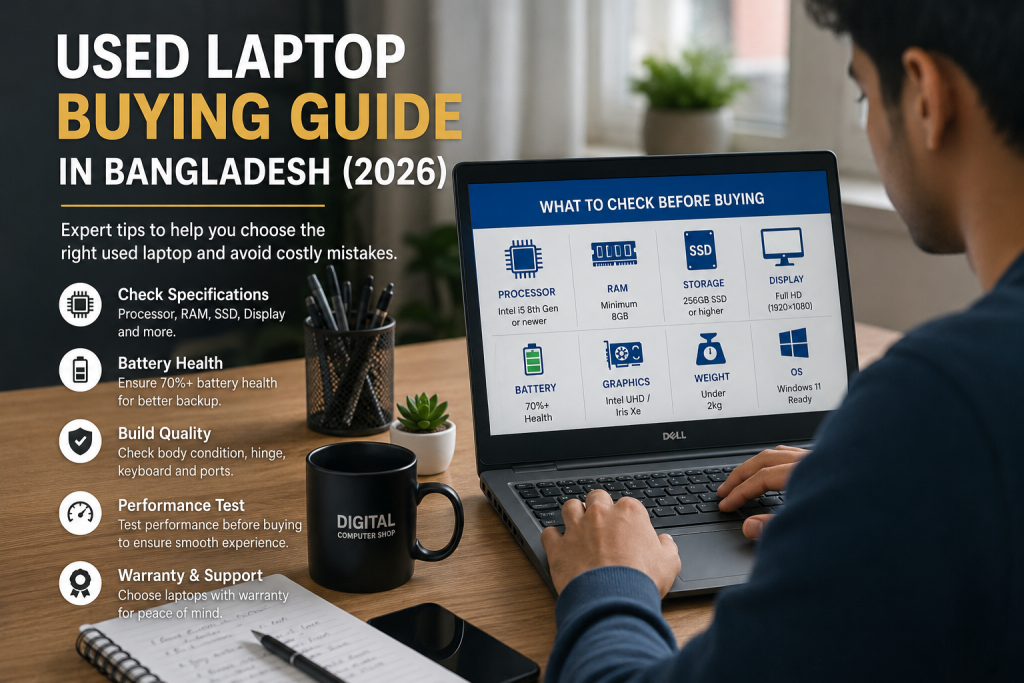
The demand for used laptops in Bangladesh has increased significantly over the last few years. Students need affordable devices for online learning, freelancers require reliable machines for client work, and professionals want high-performance laptops without paying premium prices.
However, buying a used laptop can be challenging. Many buyers focus only on price and ignore critical factors such as battery health, SSD condition, processor generation, display quality, and warranty coverage. As a result, they often end up purchasing laptops that fail to meet their expectations.
This Used Laptop Buying Guide in Bangladesh is designed to help students, freelancers, office users, remote workers, business owners, and budget-conscious buyers make informed purchasing decisions. Whether you’re looking for a Dell Latitude, HP EliteBook, Lenovo ThinkPad, Microsoft Surface, or MacBook, this guide covers everything you need to know before making your purchase.
At Digital Computer Shop, we regularly inspect, test, and evaluate business-class laptops, allowing us to identify the features that matter most for long-term reliability and performance.
Laptop Specifications Overview
| Component | Recommended Specification |
| Processor | Intel Core i5 8th Gen or newer |
| RAM | Minimum 8GB |
| Storage | 256GB SSD or higher |
| Display | Full HD (1920×1080) |
| Graphics | Intel UHD / Iris Xe |
| Battery | 70%+ Health |
| Weight | Under 2kg Preferred |
| Connectivity | Wi-Fi, Bluetooth, USB-C |
| Operating System | Windows 11 Ready |
Design & Build Quality
One of the biggest advantages of purchasing a used business laptop is build quality.
Unlike many consumer-grade laptops, business laptops are designed to withstand daily professional use. Models such as the HP EliteBook series, Dell Latitude series, and Lenovo ThinkPad series feature stronger chassis materials, reinforced hinges, spill-resistant keyboards, and better durability.
When inspecting a used laptop, carefully check:
- Chassis condition
- Hinge stability
- Keyboard wear
- Screen frame damage
- Port functionality
A well-maintained business laptop can often outlast many new budget laptops.
Display Quality
The display affects productivity, entertainment, and user experience.
Look for:
- Full HD resolution (1920×1080)
- IPS panel
- Good brightness
- Minimal scratches
- No dead pixels
Students and office users can comfortably work with standard Full HD displays, while designers and content creators should prioritize color accuracy and viewing angles.
Always inspect the display under different brightness levels before purchasing.
Keyboard & Touchpad
For students, writers, programmers, and freelancers, the keyboard experience matters significantly.
Business laptops usually offer:
- Better key travel
- Improved typing comfort
- Higher durability
- Precision touchpads
Lenovo ThinkPad keyboards remain among the most respected in the industry. HP EliteBooks and Dell Latitudes also provide excellent typing experiences.
Before buying, test:
- All keys
- Touchpad gestures
- Function keys
- Backlight functionality
Performance Review
Performance depends primarily on:
- Processor
- RAM
- Storage
For most users in Bangladesh:
Recommended Processors
- Intel Core i5 8th Gen+
- Intel Core i7 8th Gen+
- AMD Ryzen 5
- AMD Ryzen 7
Avoid older dual-core processors if you plan to use Windows 11, multitask, or work with modern software.
A Core i5 8th Gen laptop with 8GB RAM and SSD storage remains an excellent option for most users.
Battery Backup Test
Battery health is often overlooked when purchasing used laptops.
Before buying:
- Check battery cycle count
- Review battery health reports
- Test charging performance
- Verify backup duration
A healthy battery should typically provide:
- 4–8 hours of office work
- 3–6 hours of browsing
- 2–4 hours of heavy workloads
Battery replacement availability should also be considered.
SSD & Storage Performance
Storage directly impacts laptop speed.
SSD-based laptops:
- Boot faster
- Load software quickly
- Improve multitasking
- Enhance system responsiveness
Recommended storage:
- 256GB SSD minimum
- 512GB SSD preferred
Always check SSD health using diagnostic tools before purchasing.
RAM & Upgradeability
RAM determines multitasking performance.
Recommended:
| User Type | RAM |
| Students | 8GB |
| Office Users | 8GB |
| Freelancers | 16GB |
| Programmers | 16GB |
| Designers | 16GB+ |
Check whether RAM can be upgraded in the future.
Upgradeability extends the lifespan of a laptop and improves value for money.
Windows 11 Compatibility
Windows 11 has become the preferred operating system for modern users.
Before buying:
- Verify TPM support
- Check processor compatibility
- Confirm Secure Boot availability
Most Intel 8th Generation and newer business laptops support Windows 11 officially.
Gaming Performance
Used business laptops are not designed primarily for gaming.
However, they can comfortably handle:
- Valorant
- CS2
- Dota 2
- League of Legends
- Minecraft
For serious gaming, look for laptops with:
- Dedicated graphics cards
- Better cooling systems
- Higher refresh-rate displays
Productivity & Office Work
Office users often need:
- Reliable performance
- Long battery life
- Comfortable keyboards
- Stable video conferencing
HP EliteBook, Dell Latitude, and ThinkPad models remain excellent choices for:
- Microsoft Office
- Google Workspace
- Zoom
- Teams
- Web-based applications
Programming Performance
Programmers should prioritize:
- 16GB RAM
- SSD storage
- Core i5/i7 processors
- Comfortable keyboard
These specifications support:
- Visual Studio Code
- Android Studio
- Python Development
- Web Development
- Database Management
ThinkPad and EliteBook models remain popular among developers due to their reliability and keyboard quality.
Freelancer & Remote Work Experience
Freelancers often require a balance between portability and performance.
Ideal features include:
- Lightweight design
- SSD storage
- Reliable webcam
- Good battery backup
- Multiple connectivity options
Used business laptops frequently offer better value than similarly priced new consumer laptops.
Student Use Case
Students should focus on:
- Affordability
- Portability
- Battery life
- Durability
Recommended options:
- Dell Latitude 7490
- HP EliteBook 840 G5
- Lenovo ThinkPad T480
These models remain among the most practical choices for academic use.
Real-World Performance Testing
At Digital Computer Shop, laptops are typically evaluated based on:
- Boot speed
- Battery performance
- SSD health
- Display quality
- Keyboard functionality
- Port testing
- Thermal performance
Real-world testing helps identify hidden issues before purchase.
Pros & Cons
Pros
✔ Excellent value for money
✔ Better specifications at lower prices
✔ Business-grade durability
✔ Upgrade options
✔ Lower depreciation
✔ Eco-friendly choice
Cons
✘ Limited battery lifespan
✘ Possible cosmetic wear
✘ Older warranty coverage
✘ Requires careful inspection
Who Should Buy This?
Used laptops are ideal for:
- Students
- Freelancers
- Office workers
- Small business owners
- Programmers
- Remote workers
Anyone seeking maximum performance within a limited budget can benefit significantly.
Who Should Avoid This?
You may prefer a new laptop if:
- You need the latest hardware
- You require manufacturer warranty
- You perform intensive gaming
- You need advanced GPU performance
Comparison Table
| Feature | HP EliteBook | Dell Latitude | Lenovo ThinkPad |
| Build Quality | Excellent | Excellent | Excellent |
| Keyboard | Very Good | Good | Outstanding |
| Battery | Good | Good | Very Good |
| Upgradeability | Good | Excellent | Excellent |
| Business Use | Excellent | Excellent | Excellent |
| Value | High | High | High |
Buying Guide
Before purchasing a used laptop:
Set Your Budget
- Under 30,000 BDT
- 30,000–50,000 BDT
- 50,000–80,000 BDT
Choose Your Use Case
- Study
- Freelancing
- Programming
- Office Work
- Design
Prioritize SSD Storage
An SSD provides significantly better performance than a traditional HDD.
Verify Upgrade Options
Choose laptops that support RAM and SSD upgrades.
Buy From Trusted Sellers
Always purchase from reputable sellers offering testing, warranty, and after-sales support.
Final Verdict
A quality used laptop remains one of the smartest technology investments for buyers in Bangladesh. Models such as HP EliteBook, Dell Latitude, and Lenovo ThinkPad deliver excellent durability, reliable performance, and strong value for money.
By focusing on battery health, SSD condition, RAM capacity, processor generation, and seller credibility, buyers can avoid common mistakes and secure a laptop that remains productive for years.
If you’re searching for professionally tested used laptops with warranty support, Digital Computer Shop offers a wide selection of business-class laptops suitable for students, freelancers, office professionals, programmers, and remote workers.
Looking for the right laptop? Explore the latest collection of HP EliteBook, Dell Latitude, Lenovo ThinkPad, Surface Laptop, and MacBook models available at Digital Computer Shop.
PART 2: SEO ASSETS PACK
Used Laptop Buying Guide in Bangladesh
FAQ SECTION)
1. Is buying a used laptop worth it in Bangladesh?
Yes, buying a used laptop can be an excellent investment if you purchase from a trusted seller. Business-class laptops such as HP EliteBook, Dell Latitude, and Lenovo ThinkPad often offer better build quality and performance than many new budget laptops at the same price point.
2. What should I check before buying a used laptop?
You should check the processor generation, RAM, SSD health, battery condition, display quality, keyboard functionality, ports, webcam, Wi-Fi connectivity, and warranty availability. A complete inspection helps avoid unexpected repair costs.
3. Which used laptop brand is the most reliable?
HP EliteBook, Dell Latitude, and Lenovo ThinkPad are among the most reliable used laptop series due to their durable construction, business-grade components, and long lifespan.
4. Is a refurbished laptop better than a used laptop?
Generally, refurbished laptops undergo testing, repairs, and quality checks before resale. This often makes them a safer option than standard used laptops, especially when sold with warranty coverage.
5. How much RAM do I need in 2026?
For basic tasks, 8GB RAM is sufficient. For freelancing, programming, multitasking, graphic design, and content creation, 16GB RAM is highly recommended.
6. Is SSD necessary in a used laptop?
Yes. SSD storage dramatically improves boot speed, software loading times, multitasking performance, and overall responsiveness compared to traditional HDD storage.
7. Can I upgrade RAM later?
Many business laptops allow RAM upgrades. Models such as Dell Latitude, HP EliteBook, and Lenovo ThinkPad typically offer excellent upgrade flexibility.
8. How do I check battery health?
Battery health can be checked through Windows battery reports, BIOS diagnostics, or specialized diagnostic software. A battery health score above 70% is generally acceptable.
9. Can a used laptop run Windows 11?
Most Intel Core i5 and i7 laptops from the 8th Generation onward support Windows 11 officially, provided they include TPM and Secure Boot support.
10. Are used laptops good for freelancing?
Absolutely. Many freelancers use refurbished business laptops because they provide excellent performance, portability, reliability, and value for money.
