


 Acer11
 ASUS2
 MSI3


Dell Latitude 7400 vs 7420 vs 7490 vs 7480: Which Used Latitude 7000 to Buy in Bangladesh (2026)

The 14-inch Dell Latitude 7000 series is one of the most bought used business laptops at Digital Computer Shop, and the Latitude 7400 is the model people search for most. The trouble is that five generations look almost the same in photos: the E7470, 7480, 7490, 7400 and 7420. They are not the same laptop. Processor cores, RAM upgrade options, the Ethernet port and the size of the chassis all change from one generation to the next.
This guide compares them side by side, explains which differences you will notice in daily use and tells you which one to buy at each budget. Every price below is live from our stock, and every unit is tested, unlocked and covered by our service warranty.
The short answer
- Best value overall: Latitude 7490 with 8th Gen Core i5 — quad-core performance, two RAM slots and a built-in Ethernet port at a low price.
- Best modern design: Latitude 7400 — thinner bezels and a smaller footprint than the 7490, the same 8th Gen quad-core class, and RAM you can still upgrade.
- Longest useful life: Latitude 7420 — 11th Gen Intel with Iris Xe graphics and two Thunderbolt 4 ports. Buy it with 16GB, because its RAM is soldered.
- Lowest price: Latitude 7480 or E7470 — same premium keyboard and build, but dual-core chips suited to basic office work only.
Latitude 7000 generations at a glance
| Model | Year | Processor | RAM | Ethernet (RJ45) |
|---|---|---|---|---|
| Latitude E7470 | 2016 | Core i5/i7 6th Gen, dual-core | Two slots, upgradeable | Yes |
| Latitude 7480 | 2017 | Core i5/i7 6th–7th Gen, dual-core | Two slots, upgradeable | Yes |
| Latitude 7490 | 2018 | Core i5/i7 8th Gen, quad-core | Two slots, upgradeable | Yes |
| Latitude 7400 | 2019 | Core i5/i7 8th Gen, quad-core | Two slots, upgradeable | No — USB adapter or dock |
| Latitude 7420 | 2021 | Core i5/i7 11th Gen, quad-core, Iris Xe | Soldered, not upgradeable | No — USB adapter or dock |
The single biggest jump is from the 7480 to the 7490: Intel’s 8th Gen doubled the core count from two to four. That is also the line for official Windows 11 support. Everything from the 7490 onward meets Microsoft’s processor requirement; the E7470 and 7480 do not.
Dell Latitude 7400 — the redesigned 7-series
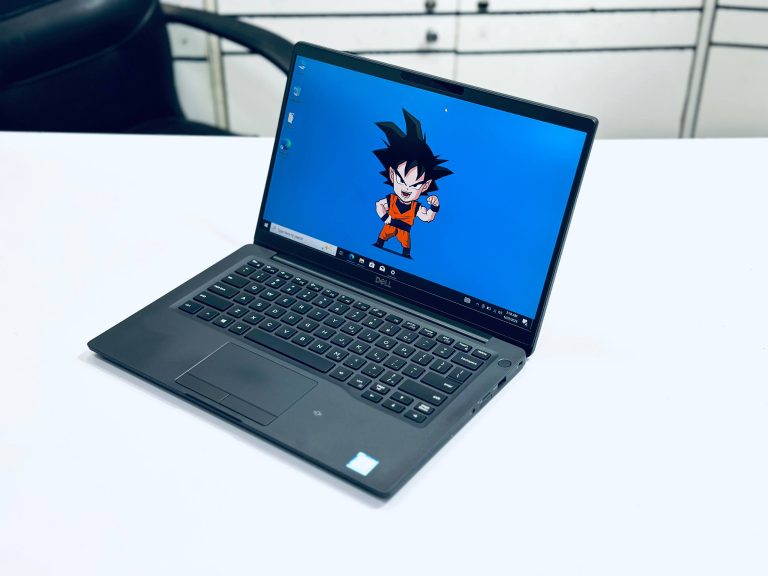
The 7400 was Dell’s first narrow-bezel 14-inch Latitude. Notebookcheck measured it at 321 × 214 mm against 331 × 221 mm for the 7490, so it fits more easily into a small bag while keeping the same screen size. It runs Whiskey Lake 8th Gen chips such as the Core i5-8365U and i7-8665U — four cores and eight threads, comfortably enough for Office, Teams, Zoom and dozens of browser tabs.
RAM sits in two standard slots, so an 8GB unit can be upgraded to 16GB or 32GB later, and adding a second module switches the memory to dual-channel for a small speed gain. The trade-off for the slimmer body is the Ethernet port: the 7400 has none. If your office runs on wired LAN, budget for a USB-C dock or a USB Ethernet adapter. It keeps HDMI, USB-A, a microSD reader and a Thunderbolt 3 USB-C port that handles charging, docks and external displays.
Dell Latitude 7400 Core i5 8th Gen 8GB, 16GB RAM 256GB, 512GB SSD 14″ FHD Display Laptop
Core i5 8th Gen — the most popular 7400 configuration.
Dell Latitude 7400 Core i7 8th Gen 8GB, 16GB RAM 256GB SSD 14″ FHD Metal Body Silver Laptop
Core i7 8th Gen, metal body, extra headroom for heavy multitasking.
Dell Latitude 7400 (Metal) Core i5 8th Gen 16GB RAM 256GB SSD 14″ FHD Borderless Display Laptop
Metal 7400 with 16GB RAM already fitted.
Dell Latitude 7420 — 11th Gen and Thunderbolt 4
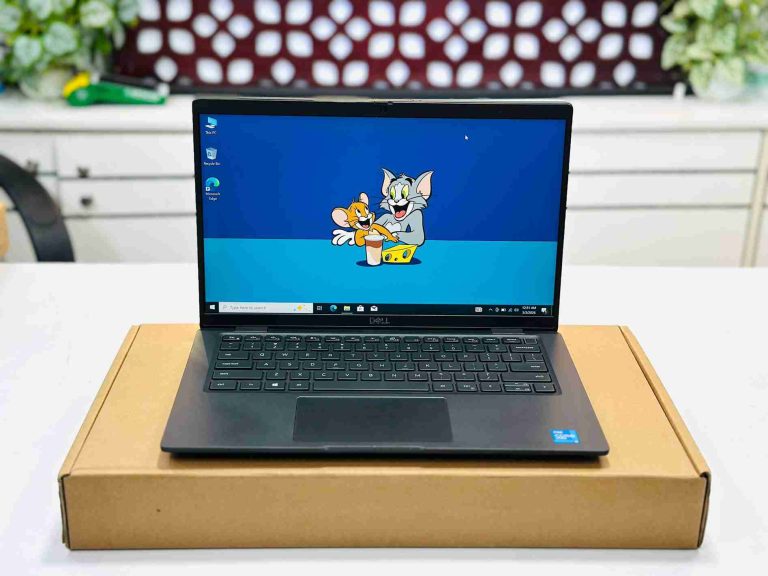
The 7420 is the newest model in this guide and the one we expect to stay useful the longest. Its 11th Gen Tiger Lake Core i5 brings Intel Iris Xe graphics, a clear step up from the UHD 620 graphics in every 8th Gen Latitude. You notice it when driving two external monitors, editing photos, or running video calls while screen-sharing. It also has two Thunderbolt 4 ports, so one cable can charge the laptop and connect a full desk setup through a dock.
One fact matters before you buy: Dell soldered the 7420’s RAM to the motherboard. Whatever memory a unit has is what it will always have. That is why our 7420 stock is 16GB — it is the right amount for this laptop. Like the 7400, it has no Ethernet port.
Dell Latitude 7420 Core i5 11th Gen 16GB RAM 256GB – 512GB SSD 14″ FHD Display Laptop
Core i5 11th Gen, 16GB RAM, Iris Xe graphics and Thunderbolt 4.
Dell Latitude 7490 — the value pick
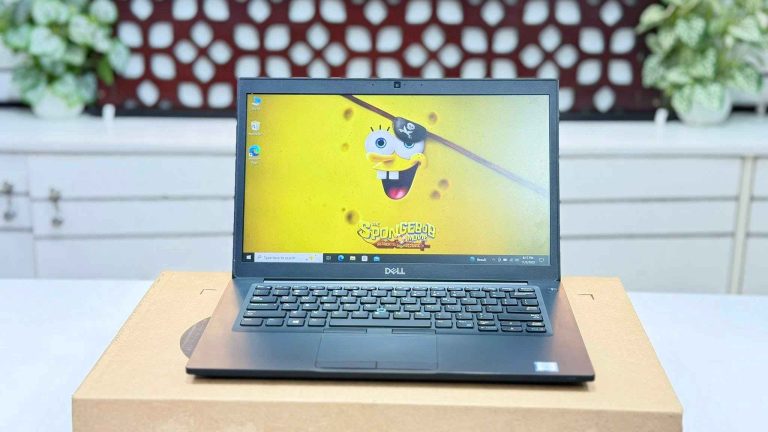
The 7490 uses the older, wider-bezel chassis, but inside it carries the same class of quad-core 8th Gen processor as the 7400 — the Core i5-8350U or i7-8650U. In daily office work the two feel very similar. The 7490 is slightly larger, and in exchange it keeps a full-size Gigabit Ethernet port, which many banks, schools and offices in Bangladesh still rely on.
Two RAM slots make it easy to move from 8GB to 16GB. For buyers who want 8th Gen performance and Windows 11 support at the lowest price, the 7490 is the Latitude to choose. A touch-screen version is also available in our stock.
Dell Latitude 7490 Core i5 8th Gen 8GB RAM 256GB SSD 14″ FHD Laptop
Core i5 8th Gen — best performance per taka in the 7-series.
Dell Latitude 7490 Core i7 8th Gen 8GB RAM 256GB SSD 14″ FHD Display Laptop
Core i7 8th Gen for heavier spreadsheets and multitasking.
Dell Latitude 7490 Core i5 8th Gen 8GB RAM 256GB SSD 14″ FHD Touch Display Laptop
Core i5 8th Gen with a Full HD touch display.
Latitude 7480 and E7470 — premium build on a tight budget
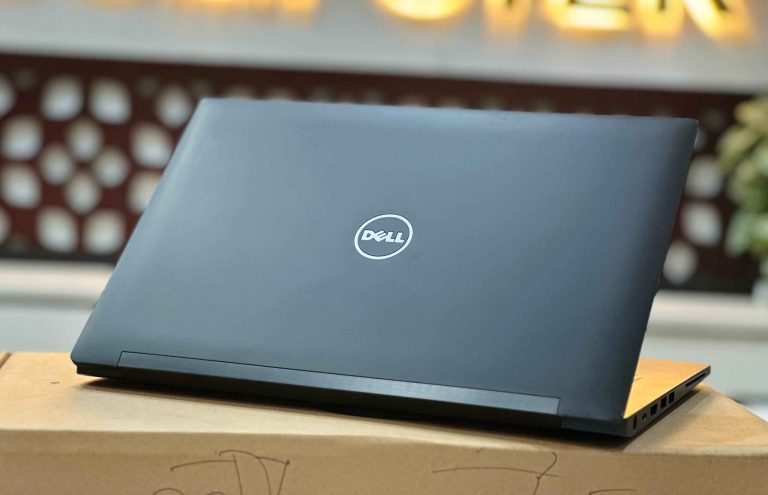
The 7480 and E7470 share the Latitude 7000’s sturdy chassis, comfortable keyboard and wide port selection, including Ethernet. Their 6th and 7th Gen Core i5 and i7 chips are dual-core, so they slow down sooner with many browser tabs or video calls running alongside other work. They are not officially supported by Windows 11.
Choose one if your work is typing, email, browsing and accounting software, and the lowest price matters most. An SSD and 8GB RAM keep them responsive for that kind of use; 16GB helps if you keep many tabs open.
Dell Latitude 7480 Core i5 7th Gen 8GB RAM 256GB SSD 14″ FHD Laptop
Core i5 7th Gen — the newest dual-core Latitude 7000.
Dell Latitude 7480 Core i5 6th Gen 8GB, 16GB RAM 256GB SSD 14″ FHD Display Laptop
Core i5 6th Gen, the entry-level 7480.
Dell Latitude E7470 Core i5 6th Gen 8GB/16GB RAM 256GB SSD 14″ FHD Business Laptop
E7470 Core i5 6th Gen, the lowest-priced Latitude 7000.
Dell Latitude E7470 Core i7 6th Gen 8GB/16GB RAM 256GB SSD 14″ FHD Business Laptop
E7470 Core i7 6th Gen for a little extra speed.
Touch-screen versions: 7400 2-in-1 and 7410 x360
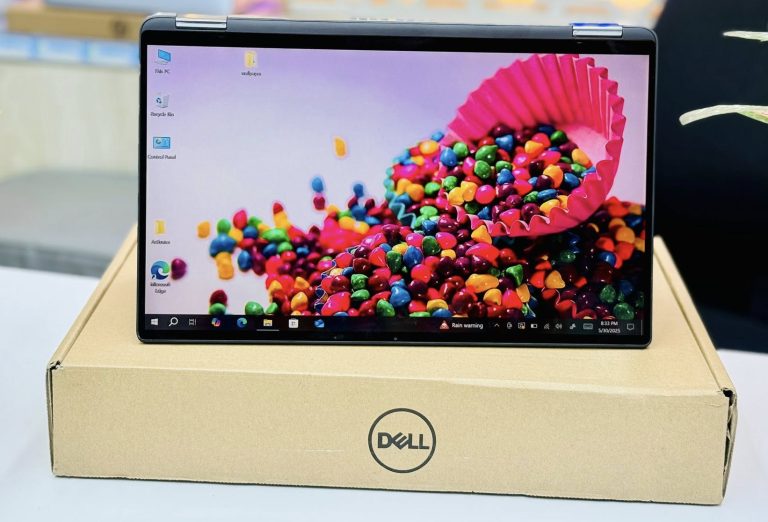
If you want touch and pen input, the Latitude 7400 2-in-1 folds into tablet, tent and stand modes and has a 14-inch Full HD touch screen in an aluminium body. Its RAM is soldered, which is why we stock it with 16GB. The 7410 x360 moves to a 10th Gen Core i5. Both suit teachers, presenters and anyone who signs or annotates documents. Check the hinge in every mode before you buy; it should hold the screen firmly at any angle.
Dell Latitude 7400 2-in-1 Core i5 8th Gen 16GB RAM 256GB / 512GB SSD 14″ FHD Touch x360 Laptop
7400 2-in-1, Core i5 8th Gen, 16GB RAM.
Dell Latitude 7400 2-in-1 Core i7 8th Gen 16GB RAM 256GB, 512GB SSD 14″ FHD Touch X360 Laptop
7400 2-in-1, Core i7 8th Gen, 16GB RAM.
“DELL LATITUDE 7410 X360 SILVER COLOUR METAL BODY CORE I5 10TH GEN x360 TOUCH 14″” FHD GLOSSY DISPLAY
7410 x360, Core i5 10th Gen, silver metal body.
Which Latitude for students, office and editing?
Students: the 7490 or 7400 with Core i5 8th Gen. Four cores handle Google Classroom, Zoom, Office and research tabs without strain, and Windows 11 is officially supported.
Office and banking: the 7490 if you need wired LAN at your desk; the 7400 if you carry the laptop daily and work on Wi-Fi.
Photo editing, multiple monitors and programming: the 7420. Iris Xe graphics and Thunderbolt 4 make it the most capable model here, and its 16GB is enough for these jobs.
Basic typing and accounts on the lowest budget: the 7480 or E7470.
What to check before buying a used Latitude 7000
- Battery health: ask for the battery report and compare the full-charge capacity in Wh with the design capacity. We test every battery and tell you its condition before you buy.
- RAM: on the 7420 and 7400 2-in-1, RAM cannot be added later, so buy the amount you need now.
- Ethernet: on the 7400 and 7420, confirm you have a dock or USB adapter if you use wired internet.
- Screen: check for dead pixels, bright spots and pressure marks on a white page, and confirm the unit is Full HD.
- Ports and charging: test the charger, USB-C, USB-A and HDMI. On the 7400 and 7420, test Thunderbolt with your dock if you plan to use one.
- BIOS and Computrace lock: ex-corporate Latitudes can carry a BIOS password. Every unit we sell is checked and unlocked.
For the full list, read our 10 things to check before buying a used laptop, or see every model in our Dell Latitude price guide.
Our recommendation by budget
- Lowest budget: Latitude E7470 or 7480 Core i5 for typing, email and browsing.
- Best value: Latitude 7490 Core i5 8th Gen — quad-core, Ethernet and upgradeable RAM.
- Modern design at a fair price: Latitude 7400 Core i5 or i7 8th Gen.
- Most future-proof: Latitude 7420 Core i5 11th Gen with 16GB RAM.
- Touch and pen: Latitude 7400 2-in-1 or 7410 x360.
Visit our Dhaka or Brahmanbaria branch to try any of these side by side before you decide.
Frequently asked questions
Is the Dell Latitude 7400 better than the 7490?
In performance they are close, because both use quad-core 8th Gen Intel Core chips. The 7400 is more compact with thinner bezels; the 7490 keeps a built-in Ethernet port and usually costs less. Choose the 7400 for portability and the 7490 for value and wired LAN.
Can I upgrade the RAM in a Dell Latitude 7420?
No. The Latitude 7420 has soldered memory, so the RAM it ships with cannot be increased. Buy it with 16GB. The 7400, 7490, 7480 and E7470 have two RAM slots and can be upgraded.
Does the Dell Latitude 7400 have an Ethernet port?
No. Dell removed the RJ45 port when it slimmed the chassis for the 7400. Use a USB-C dock or a USB Ethernet adapter for wired internet. The 7490, 7480 and E7470 have a built-in Ethernet port.
Which Dell Latitude 7000 models support Windows 11?
The 7490, 7400, 7410 and 7420 meet Microsoft’s processor requirement for Windows 11. The 7480 and E7470 use 6th and 7th Gen chips that are not officially supported.
Do used Dell Latitudes come with a warranty?
Yes. Every Latitude we sell is tested, unlocked and covered by a Digital Computer Shop service warranty, with support at our Dhaka and Brahmanbaria branches.
Ready to buy? See best used laptops under 30,000 BDT · under 50,000 BDT · used laptop buying guide · full used laptop collection, or message us on WhatsApp for a recommendation for your exact budget.
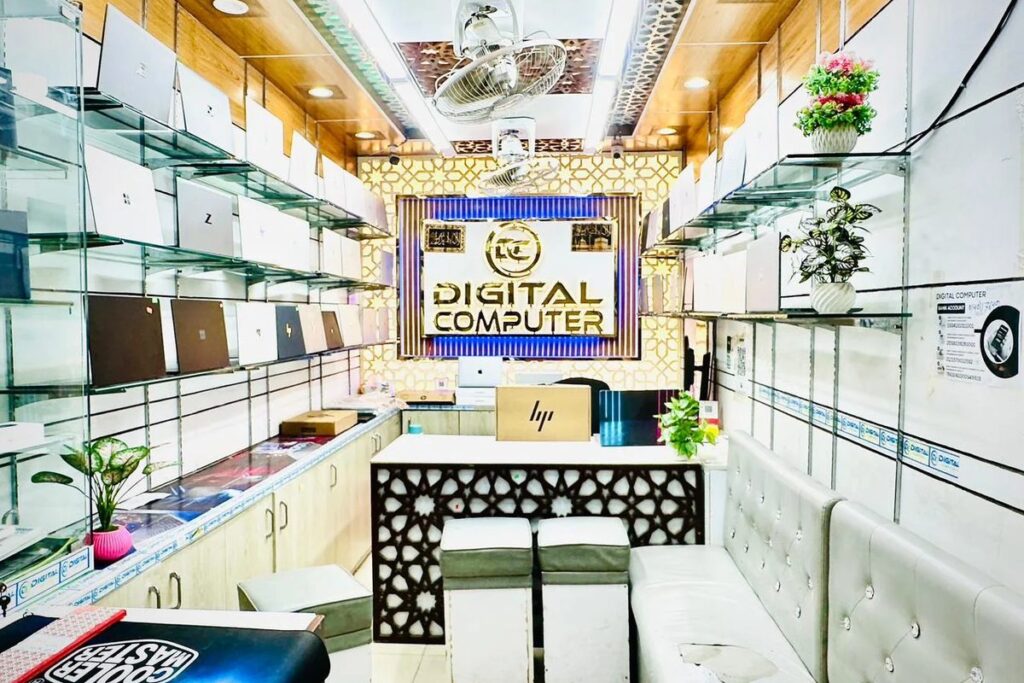
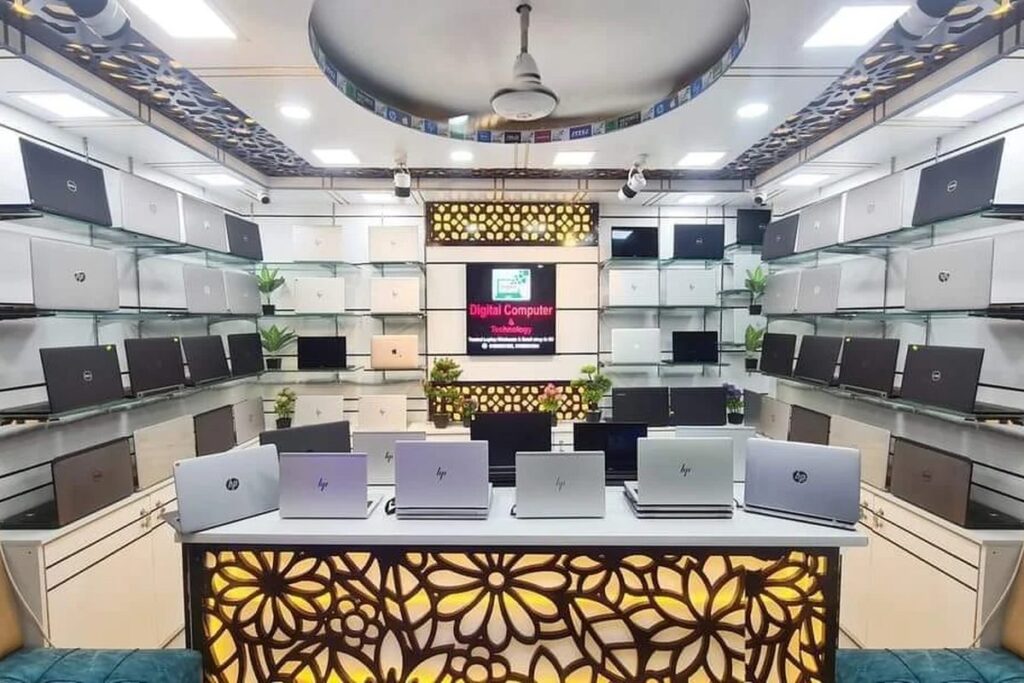


 Digital Computer Shop