


 Acer11
 ASUS2
 MSI3


Surface Laptop 3 vs Surface Laptop 4: Which Used Model Should You Buy in Bangladesh? (2026)

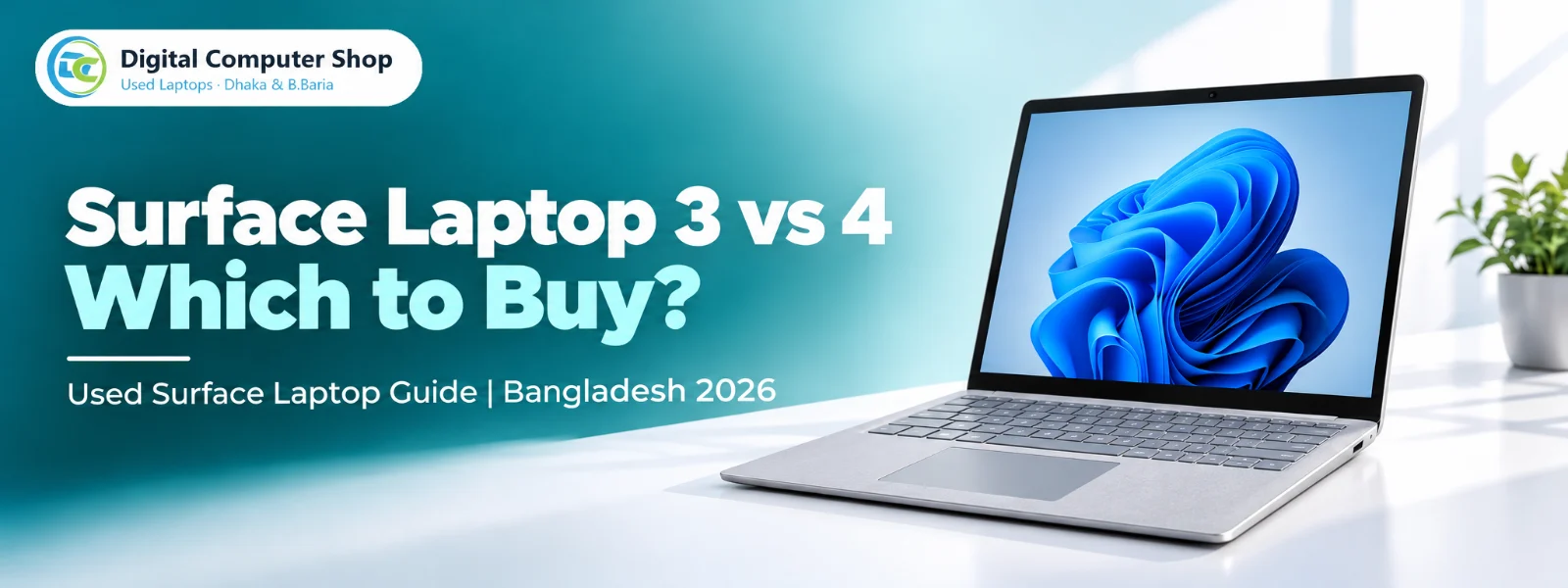
Put a Surface Laptop 3 and a Surface Laptop 4 side by side and you will not tell them apart. The body, screen, keyboard and ports are the same. The decision comes down to three things: the processor inside, how much you notice the extra speed in your own work, and how long Microsoft keeps supplying firmware and driver updates.
Both are among the largest Surface lines we hold at Digital Computer Shop. This guide uses Microsoft’s published specifications and independent lab tests to show where the Laptop 4 earns its higher price and where the Laptop 3 is the smarter buy. Every price below is live from our stock.
The short answer
- Buy the Surface Laptop 4 if you will keep the laptop for several years, edit photos or video, or want the newer platform. It also still receives firmware and driver updates from Microsoft until April 2027.
- Buy the Surface Laptop 3 if your work is Office, browsing, email and video calls, and you want the same premium body and 3:2 touchscreen for less money.
- Compare the live prices below before deciding. When the gap between a Laptop 3 and a Laptop 4 of the same RAM is small, take the Laptop 4. When the gap is large, the Laptop 3 is the better value for everyday work.
Surface Laptop 3 vs 4: specifications side by side
| Specification | Surface Laptop 3 | Surface Laptop 4 |
|---|---|---|
| Released | October 2019 | April 2021 |
| Intel processors | 10th Gen Core i5-1035G7, i7-1065G7 | 11th Gen Core i5-1135G7, i7-1185G7 |
| Intel graphics | Iris Plus | Iris Xe |
| AMD processors | Ryzen 5 3580U, Ryzen 7 3780U (15-inch) | Ryzen 5 4680U, Ryzen 7 4980U |
| 13.5-inch screen | 2256 x 1504, 3:2 touch, 201 PPI | Same panel |
| 15-inch screen | 2496 x 1664, 3:2 touch, 201 PPI | Same resolution |
| Ports | USB-C, USB-A, Surface Connect, headphone jack | Same |
| Weight (13.5-inch) | 1,265 g to 1,288 g | 1,265 g to 1,288 g |
| Battery capacity | About 45 Wh | About 47 Wh |
| Wi-Fi | Wi-Fi 6 on 13.5-inch; Wi-Fi 5 on 15-inch AMD | Wi-Fi 6 |
| Firmware and driver updates | Ended 30 July 2024 | Until 15 April 2027 |
Neither model has Thunderbolt. The USB-C port handles charging and an external display over DisplayPort, so a Thunderbolt-only dock will not give you full function on either laptop. If Thunderbolt 4 matters to you, that arrives with the Surface Laptop 5.
How much faster is the Surface Laptop 4 in real use?
Less than the headline suggests for everyday work, and much more for heavy work. Two independent tests show the pattern:
- Everyday tasks: PCWorld measured a 15-inch Laptop 4 with Ryzen 7 4980U at only 4% to 6% ahead of the fastest Laptop 3 in PCMark 10, which simulates video calls, word processing and light photo editing.
- Sustained processor work: the same Laptop 4 delivered just over twice the Laptop 3’s Cinebench result and finished a HandBrake video encode in about half the time.
- Graphics: PCWorld recorded 33% more in 3DMark Time Spy on that AMD model. Notebookcheck measured a Laptop 4 Core i7-1185G7 at 5455 in Fire Strike against 2692 for a Laptop 3 Core i5-1035G7. That is roughly double, although it compares an i7 with an i5, so part of the gap comes from the higher tier.
In plain terms: if you open Word, Excel, Chrome and Zoom, you will struggle to feel the difference. If you export video, process large batches of photos or compile code, the Laptop 4 saves real time every day.
Surface Laptop 3 — the value choice
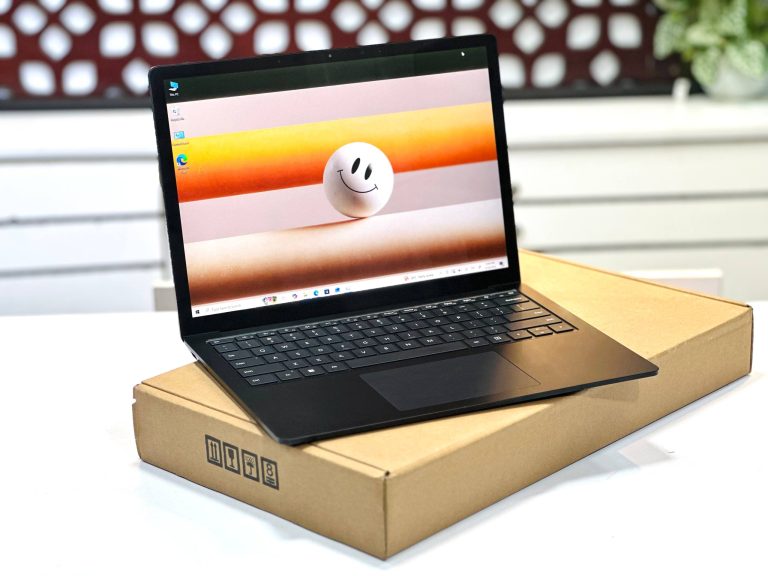
The Laptop 3 introduced the USB-C port and the 10th Gen Ice Lake chips to this line, and it still feels quick for office work. Its 13.5-inch screen is the same sharp 3:2 panel as the Laptop 4, which shows noticeably more of a document or spreadsheet than a 16:9 laptop of the same width.
Choose 16GB RAM if your budget allows. The memory is soldered, so 8GB stays 8GB for the life of the laptop.
Microsoft Surface Laptop 3 Core i5 10th Gen 8GB RAM 256GB SSD 13.5″ 2K Display Laptop
Core i5-1035G7 with 8GB, the lowest-cost way into the Laptop 3.
Microsoft Surface Laptop 3 Core i5 10th Gen 16GB RAM 256GB/ 512GB SSD 13.5″ 2K Touch Display Laptop
Core i5 with 16GB, our pick for office work and study.
Microsoft Surface Laptop 3 Core i7 10th Gen 16GB RAM 256GB/512GB SSD 13.5″ 2K Touch Laptop
Core i7-1065G7 with 16GB for heavier multitasking.
Microsoft Surface Laptop 3 15-inch Core i7 10th Gen 16GB RAM 256GB SSD PixelSense Touch Laptop
15-inch screen with Core i7 for spreadsheets and split-screen work.
Surface Laptop 4 — the long-term choice
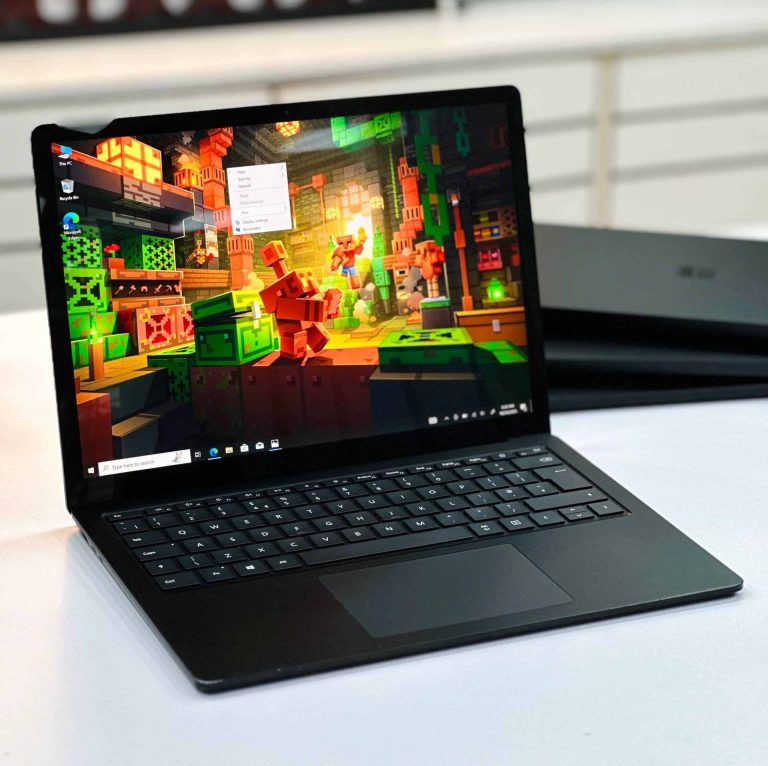
The Laptop 4 changes the processor and little else. Notebookcheck’s review of the 13.5-inch Intel model states that nothing really changed apart from the chip, which is good news: you get the same build and screen, now with either Iris Xe graphics or a six-core Ryzen, and LPDDR4x-4266 memory.
Core i5 units of the Laptop 4 also come through our branches. Message us on WhatsApp if you want one, and we will confirm what is available today.
Microsoft Surface Laptop 4 Ryzen 5 4680U 16GB RAM 256GB/512GB SSD 13.5″ PixelSense Touch Laptop
Six-core Ryzen 5 4680U with 16GB, strongest for multi-core work on mains power.
Microsoft Surface Laptop 4 Core i7 11th Gen 16GB RAM 256GB SSD 13.5″ 2K Display Laptop
Core i7-1185G7 with Iris Xe, the best all-round Laptop 4.
Microsoft Surface Laptop 4 Core i7 11th Gen 16GB RAM 512GB SSD 13.5″ 2K Display Laptop
The same Core i7 with 512GB for larger files.
Microsoft Surface Laptop 4 15-inch Core i7 11th Gen 16GB RAM 256GB SSD PixelSense Touch Laptop
15-inch screen with Core i7 and Iris Xe graphics.
Laptop 4: Intel or AMD Ryzen?
This is the choice most buyers overlook, and the two versions behave differently.
- Ryzen 5 4680U has six cores and twelve threads. In Notebookcheck’s Cinebench R23 multi-core test it scored 7073 against 5139 for the Core i7-1185G7. The catch is that it runs far slower on battery, with a performance deficit of about 50% in that review. Keep the charger connected for heavy jobs.
- Core i7-1185G7 is quicker in single-core work, which is what most everyday software relies on, and its Iris Xe graphics are stronger for games. In general use the two graphics chips are close.
Our advice: choose Intel if you work on battery or use software that favours Intel. Choose Ryzen if you sit at a desk with the charger plugged in and run multi-core jobs such as video exports.
Firmware and driver support: the difference few sellers mention
Microsoft’s Surface lifecycle page lists 30 July 2024 as the end of firmware and driver servicing for the Surface Laptop 3, and 15 April 2027 for the Surface Laptop 4. This does not mean either laptop stops working or stops receiving Windows updates. Microsoft states that after servicing ends, devices continue to receive Windows feature and security updates under the normal Windows lifecycle.
What you lose is new Surface-specific firmware and driver releases. For a typical buyer this is a minor issue today. It is still a fair reason to prefer the Laptop 4 if you plan to keep the machine for many years, and it is why the Laptop 3 should cost less.
Which one for students, office work and editing?
Students and home users: Laptop 3 Core i5 with 16GB. It handles Office, Zoom, Google Classroom and many browser tabs, and the money saved is better kept than spent on speed you will not use.
Office and business: either model works. Pick the Laptop 4 Core i7 if the laptop must last through a longer replacement cycle, and the 15-inch version if you live in spreadsheets.
Photo and video editing: Laptop 4 with 16GB. Iris Xe is the stronger choice for GPU-accelerated editors, while Ryzen is the better option for processor-heavy exports on mains power. Neither has a dedicated graphics card, so treat them as light editing machines.
Programmers: Laptop 4 Ryzen 5 with 16GB gives you the most cores for compiling, provided you work plugged in.
What to check before buying a used Surface Laptop 3 or 4
- Screen glass: inspect the display closely under a bright light. In 2020 Microsoft acknowledged that a very small percentage of Laptop 3 screens developed hairline fractures caused by a hard foreign particle in the glass, so look for fine lines near the edges.
- RAM: confirm the amount in Windows Settings, because it cannot be upgraded later.
- Battery health: run powercfg /batteryreport in Command Prompt and compare full charge capacity with design capacity.
- Charging: test both the Surface Connect charger and the USB-C port.
- Keyboard deck: Platinum and Cobalt Blue 13.5-inch units usually have a fabric Alcantara palm rest, while Matte Black units have metal. Alcantara shows stains and wear more easily, so check it carefully.
- Company lock: many used Surface laptops come from corporate fleets. Confirm that Windows sets up without asking for a company account and that the Surface UEFI is not password-locked.
- SSD: the drive is a compact M.2 2230 that a technician can replace, but it is not designed for owners to remove, and suitable replacements are limited. Buy enough storage from the start.
- Warranty: buy from a shop you can walk back into. Our Dhaka and Brahmanbaria branches service the laptops we sell.
For the wider checklist, read our 10 things to check before buying a used laptop, or compare the whole family in our Surface Laptop price guide.
Our recommendation
- Tightest budget: Surface Laptop 3 Core i5 8GB, if your work is browsing, email and documents.
- Best value: Surface Laptop 3 Core i5 16GB. It has the same screen and build as the Laptop 4, with enough memory for years of office work.
- Best overall: Surface Laptop 4 Core i7 16GB, especially when its live price sits close to the Laptop 3 Core i7.
- Most screen: the 15-inch Laptop 4 Core i7, or the 15-inch Laptop 3 Core i7 to spend less.
Frequently asked questions
Is the Surface Laptop 4 better than the Surface Laptop 3?
Yes, it has newer processors, stronger graphics and later firmware support. The body, screen and ports are the same, and in everyday office work the speed difference is small, so the Laptop 3 remains good value.
Do the Surface Laptop 3 and 4 have the same screen?
Yes. Both 13.5-inch models use a 2256 x 1504 3:2 touchscreen. The 15-inch models use 2496 x 1664.
Does the Surface Laptop 3 or 4 have Thunderbolt?
No. Both have one USB-C port that supports charging and DisplayPort video, plus USB-A and Surface Connect. Thunderbolt 4 arrives with the Surface Laptop 5.
Can I upgrade the RAM on a Surface Laptop 3 or 4?
No. The memory is soldered to the board, so choose the amount you need when you buy. We recommend 16GB if you plan to keep the laptop for several years.
Is the Surface Laptop 3 still supported in 2026?
Microsoft ended Surface firmware and driver servicing for the Laptop 3 on 30 July 2024, but it says devices continue to receive Windows feature and security updates under the Windows lifecycle policy. The Laptop 4 is serviced until 15 April 2027.
Should I choose Intel or AMD on the Surface Laptop 4?
Choose Intel for stronger graphics and more consistent speed on battery. Choose Ryzen for stronger multi-core performance when you work with the charger connected.
Ready to buy? See best used laptops under 30,000 BDT · under 50,000 BDT · used laptop buying guide · full used laptop collection, or message us on WhatsApp for a recommendation for your exact budget.


 Digital Computer Shop