


 Acer10
 ASUS2
ASUS2 MSI1
MSI1


HP ZBook Price in Bangladesh (2026): 14u G5/G6 and Firefly 14 G7 to G11 Used Workstations Compared

HP ZBook is HP’s workstation line — the laptops HP builds for engineers, architects, designers and developers. The ZBook models we sell are the 14-inch mobile workstations: the ZBook 14u G5 and G6 and the ZBook Firefly 14 G7, G8, G10 and G11. They are thin and light enough to carry every day, yet many units carry a dedicated AMD Radeon Pro or NVIDIA professional graphics chip that an ordinary office laptop does not have.
This guide explains how the ZBook range is named, what changes from one generation to the next, which configuration suits AutoCAD, SketchUp, Photoshop or programming, and what to check on a used unit. Every price shown is live from our stock, and every ZBook we sell is tested and covered by our service warranty at our Dhaka and Brahmanbaria branches.
The short answer
- Lowest price ZBook: ZBook 14u G5 or G6 with Core i5 8th Gen and 16GB RAM — a full business laptop with workstation build for the price of a mid-range office machine.
- Best value for CAD and design students: ZBook 14u G6 Core i7 with the 4GB AMD Radeon Pro graphics, or Firefly 14 G8 i7 with the NVIDIA T500.
- Best all-rounder: ZBook Firefly 14 G8 — 11th Gen Intel, Thunderbolt 4 and Intel Iris Xe graphics that are far stronger than the 8th and 10th Gen chips.
- Newest and fastest: Firefly 14 G10 (13th Gen Intel or Ryzen 7 7840HS) and Firefly 14 G11 (Intel Core Ultra) with DDR5 memory and a taller 16:10 screen.
ZBook vs EliteBook — what is the difference?
The 14-inch ZBooks share their design with the EliteBook 840 of the same year: the same aluminium body, keyboard, fingerprint reader and HP security tools. The ZBook adds three things:
- Professional graphics options — AMD Radeon Pro or NVIDIA Quadro / T-series / RTX A-series chips with drivers tested for engineering and design software.
- ISV certification — HP tests ZBook configurations with professional software vendors such as Autodesk and Adobe, so CAD viewports and rendering behave predictably.
- Higher standard configurations — most ZBooks we receive come with 16GB RAM or more, where the matching EliteBook often has 8GB.
If you only need Office, browsing and Zoom, an HP EliteBook of the same generation gives the same experience for less money. Choose a ZBook when you run design, CAD or engineering software, or when you want 16GB RAM as standard.
Generation by generation
| Model | Year | Processor | Graphics options |
|---|---|---|---|
| ZBook 14u G5 | 2018 | Intel Core i5/i7 8th Gen (4 cores) | Intel UHD 620 or AMD Radeon Pro WX 3100 |
| ZBook 14u G6 | 2019 | Intel Core i5/i7 8th Gen Whiskey Lake (4 cores) | Intel UHD 620 or AMD Radeon Pro WX 3200 4GB |
| ZBook Firefly 14 G7 | 2020 | Intel Core i5/i7 10th Gen (4 cores) | Intel UHD or NVIDIA Quadro P520 |
| ZBook Firefly 14 G8 | 2021 | Intel Core i5/i7 11th Gen | Intel Iris Xe or NVIDIA T500 4GB |
| ZBook Firefly 14 G10 | 2023 | Intel Core 13th Gen or AMD Ryzen 7040 series | Intel Iris Xe, NVIDIA RTX A500, or AMD Radeon 780M on Ryzen |
| ZBook Firefly 14 G11 | 2024 | Intel Core Ultra (Series 1) with built-in NPU | Intel graphics (Arc on H-series chips) or NVIDIA RTX A500 |
A Firefly 14 G9 (Intel 12th Gen) also exists, but we have none in stock right now. The Firefly name replaced the 14u label from the G7 onwards. The biggest jumps are G7 to G8 (much stronger integrated graphics and Thunderbolt 4) and G8 to G10 (DDR5 memory, 16:10 screen and a large step in multi-core performance).
HP ZBook 14u G5 and G6 — the value workstations
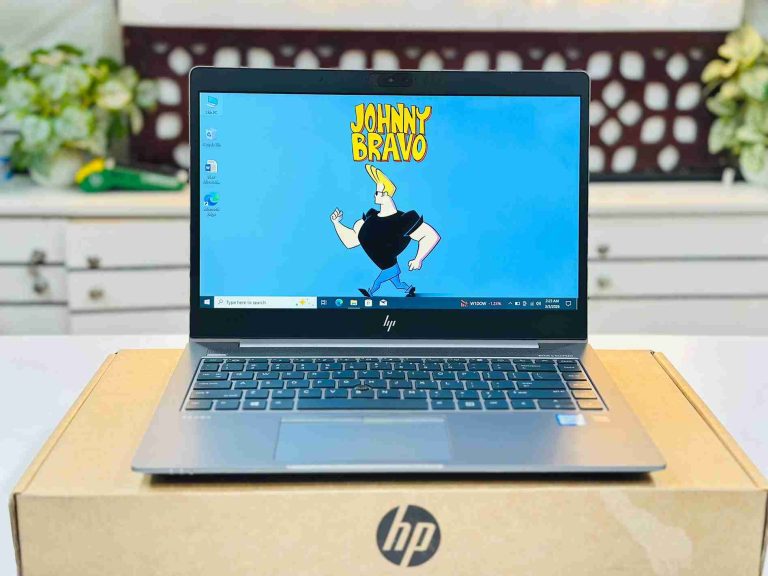
The 14u G5 and G6 are the entry point to the ZBook range. Both use four-core Intel 8th Gen processors that still handle Office, browsing, 2D AutoCAD drafting and Photoshop work comfortably with 16GB RAM. The G6 Core i7 units with the 4GB AMD Radeon Pro WX 3200 are the cheapest way to get a laptop with a dedicated professional graphics chip, which helps in SketchUp, 3D viewports and GPU-accelerated filters. The G5 touch version suits buyers who annotate drawings or present on screen.
HP ZBook 14u G5 Core i5 8th Gen 16GB RAM 256GB SSD 14″ FHD Touch Laptop
Core i5 8th Gen, 16GB RAM and a Full HD touch screen.
HP ZBook 14u G6 Core i5-8365U 16GB RAM 256GB SSD 14″ FHD Display Laptop
Core i5-8365U with 16GB RAM — the lowest-cost ZBook.
HP ZBook 14u G6 Core i7 8th Gen 4GB Dedicated AMD Radeon Pro GPU Workstation Laptop
Core i7 8th Gen with 4GB AMD Radeon Pro graphics for CAD and design.
HP ZBook Firefly 14 G7 and G8 — the sweet spot
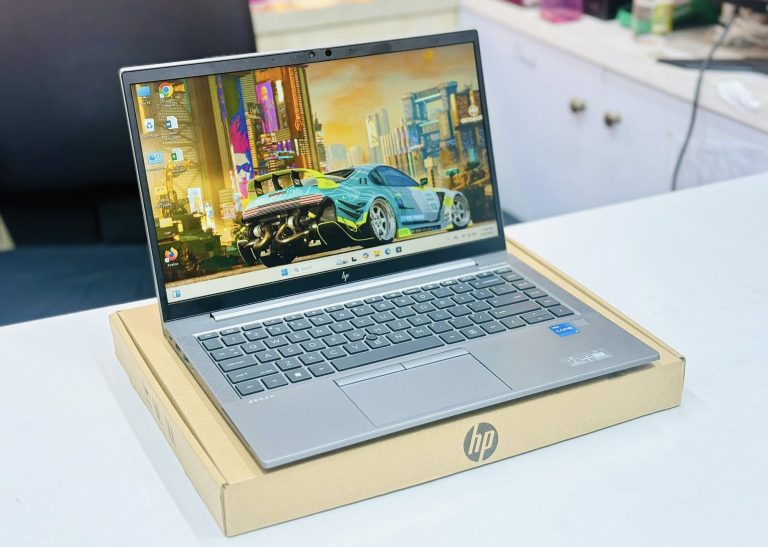
The Firefly 14 G7 brought a slimmer, lighter body with thin screen bezels. It runs Intel 10th Gen processors and is a clear step up in daily responsiveness from the 14u G6. The Firefly 14 G8 moves to Intel 11th Gen, whose Iris Xe graphics are roughly two to three times stronger than the UHD graphics in older chips, and adds Thunderbolt 4 for single-cable docking to two monitors. The G8 Core i7 with the NVIDIA T500 4GB is the most capable ZBook in the mid-price range for AutoCAD 3D, Revit viewing and Premiere Pro editing.
HP ZBook Firefly 14 G7 i5 10th Gen 16GB FHD Laptop BD
Core i5 10th Gen with 16GB RAM in the slim Firefly body.
HP ZBook Firefly 14 G7 Core i7 10th Gen 16GB RAM 512GB SSD Workstation Laptop
Core i7 10th Gen, 16GB RAM and 512GB SSD.
HP ZBook Firefly 14 G8 Core i5 11th Gen 16GB RAM 256GB / 512GB SSD 14″ FHD Mobile Workstation Laptop
Core i5 11th Gen with Iris Xe graphics and Thunderbolt 4.
HP ZBook Firefly 14 G8 i7 11th Gen 16GB RAM 512GB SSD T500 4GB Workstation Laptop
Core i7 11th Gen with NVIDIA T500 4GB professional graphics.
HP ZBook Firefly 14 G10 and G11 — the newest ZBooks
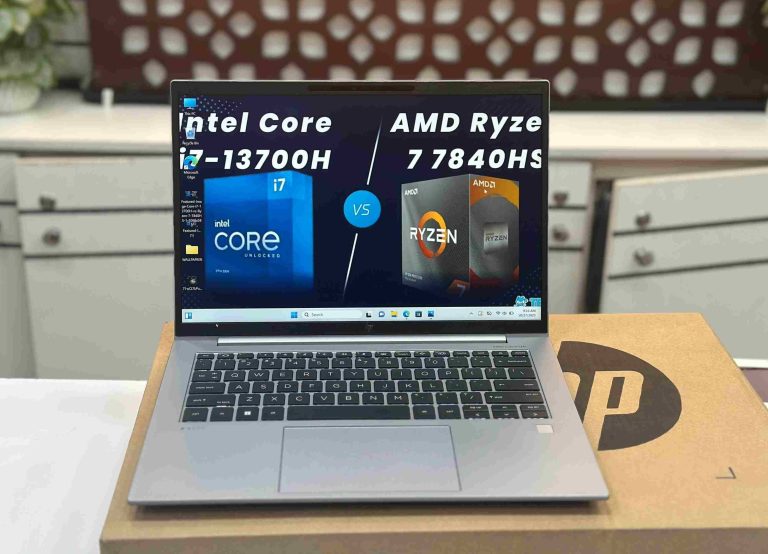
The Firefly 14 G10 and G11 are modern workstations with DDR5 memory and a 14-inch 16:10 screen that shows more of a drawing or timeline than the older 16:9 panels. The G10 comes in two versions: Intel 13th Gen, and AMD Ryzen 7 7840HS — an eight-core, 16-thread chip with Radeon 780M graphics, the strongest integrated graphics in any ZBook we sell. The G11 uses Intel Core Ultra processors with a built-in NPU for AI features such as Windows Studio Effects, and the Core Ultra 7 165H adds Intel Arc graphics. Choose these if you work with large files, multiple monitors or heavy multitasking and want the machine to stay current for years.
HP ZBook Firefly 14 G10 Core i5 13th Gen 16GB RAM 512GB SSD Workstation Laptop
Core i5 13th Gen with DDR5 — the entry modern ZBook.
HP ZBook Firefly 14 G10 Ryzen 7 7840HS 16GB RAM 512GB SSD 14″ WUXGA Display Laptop
Ryzen 7 7840HS, eight cores and Radeon 780M graphics.
HP ZBook Firefly 14 G10 Workstation Core i7 13th Gen 32GB RAM 512GB SSD 14″ FHD Display
Core i7 13th Gen with 32GB RAM for large CAD and design files.
HP ZBook Firefly 14 G11 Core Ultra 5 135U 16GB RAM 512GB SSD Workstation Laptop
Core Ultra 5 135U with built-in NPU.
HP ZBook Firefly 14 G11 Core Ultra 7 165H 14″ WUXGA AI Mobile Workstation
Core Ultra 7 165H with Intel Arc graphics — our fastest ZBook.
Which ZBook for AutoCAD, design, editing and programming?
Civil and architecture students (AutoCAD 2D, basic 3D): a ZBook 14u G6 i7 with Radeon Pro or a Firefly 14 G8 is enough. Get 16GB RAM — every ZBook in our range already has it.
3D modelling, SketchUp, Revit, SolidWorks: choose a unit with a dedicated professional GPU — Firefly 14 G8 with the T500 — or the Ryzen 7 7840HS Firefly 14 G10, whose Radeon 780M is faster than older entry-level dedicated chips in many workloads.
Photoshop, Illustrator, Lightroom: any Firefly 14 G8 or newer. These apps benefit most from RAM, a fast SSD and the newer graphics.
Video editing (Premiere Pro, DaVinci Resolve): Firefly 14 G10 i7 with 32GB RAM or the G11 Core Ultra 7. Hardware video decoding on these chips makes 4K timelines far smoother than on 8th or 10th Gen machines.
Programming and data work: the eight-core Ryzen 7 7840HS G10 compiles code and runs virtual machines or Docker much faster than four-core models. For web development and study, a Firefly 14 G8 is plenty.
A 14-inch ZBook is a mobile workstation, not a gaming laptop or a rendering tower. For heavy GPU rendering or simulation all day, a 15- or 16-inch workstation with a larger GPU is the right tool.
What to check before buying a used ZBook
- Exact graphics: the same model name can ship with or without a dedicated GPU. Confirm in Device Manager which chip is fitted — Radeon Pro, Quadro P520, T500 or RTX A500 — before you pay for it.
- Battery health: ask for the battery report. A workstation with a dedicated GPU draws more power, so battery condition matters more than on an office laptop. We test every battery and tell you its condition.
- Cooling: run a stress test or a heavy app for ten minutes. The fan should ramp up smoothly with no rattling, and the keyboard area should stay comfortable to touch.
- Screen: check for dead pixels, bright spots and even backlight on a white page. Some units have touch or Sure View privacy screens — confirm the one you want.
- Ports and docking: test USB-C charging, USB-A, HDMI and, on the G8 and newer, Thunderbolt with a dock if you use one.
- BIOS and Windows: corporate ZBooks can carry a BIOS password or remote management lock. Every ZBook we sell is checked and unlocked.
- Warranty: buy with a written warranty from a shop you can return to.
For the complete checklist, read 10 things to check before buying a used laptop and our used laptop buying guide.
Our recommendation by budget
- Around 30,000–35,000 BDT: ZBook 14u G5 or G6 Core i5 with 16GB RAM — more memory than most office laptops at this price.
- 35,000–45,000 BDT: ZBook 14u G6 i7 with Radeon Pro for CAD students, or Firefly 14 G7 / G8 i5 for an all-round slim workstation.
- 45,000–65,000 BDT: Firefly 14 G8 i7 with NVIDIA T500, or the Firefly 14 G10 i5 for DDR5 and a 16:10 screen.
- 80,000 BDT and up: Firefly 14 G10 Ryzen 7 / i7 32GB or Firefly 14 G11 Core Ultra for professionals who need the newest platform.
Comparing with other brands? See our best used laptops under 50,000 BDT, the Dell Latitude price guide, or browse every HP ZBook in stock.
Frequently asked questions
What is the price of a used HP ZBook in Bangladesh?
The cheapest used ZBook at Digital Computer Shop is the ZBook 14u G5 or G6 Core i5 with 16GB RAM; the most expensive is the Firefly 14 G11 Core Ultra 7. Live prices for every model are shown on the product cards above and update automatically with our stock.
Is HP ZBook better than HP EliteBook?
The ZBook shares the EliteBook’s build and keyboard but adds professional graphics options, ISV-certified drivers and usually 16GB RAM as standard. For CAD, design and engineering software it is the better choice; for office work an EliteBook of the same generation costs less and feels the same.
Can an HP ZBook run AutoCAD?
Yes. Every ZBook in our range runs AutoCAD 2D smoothly. For 3D work choose a model with a dedicated GPU such as the ZBook 14u G6 with Radeon Pro or the Firefly 14 G8 with NVIDIA T500, or the Ryzen 7 Firefly 14 G10.
Is the HP ZBook Firefly good for gaming?
It is not built for gaming. Light and older games run at modest settings, best on the Ryzen 7 7840HS Firefly 14 G10, but the professional GPUs are tuned for design software rather than games.
Do used ZBooks come with a warranty?
Yes. Every ZBook we sell is tested, unlocked and covered by a Digital Computer Shop service warranty, with support at our Dhaka and Brahmanbaria branches.
Ready to buy? See best used laptops under 30,000 BDT · under 50,000 BDT · used laptop buying guide · used laptop price in BD, or message us on WhatsApp for a recommendation for your exact budget.
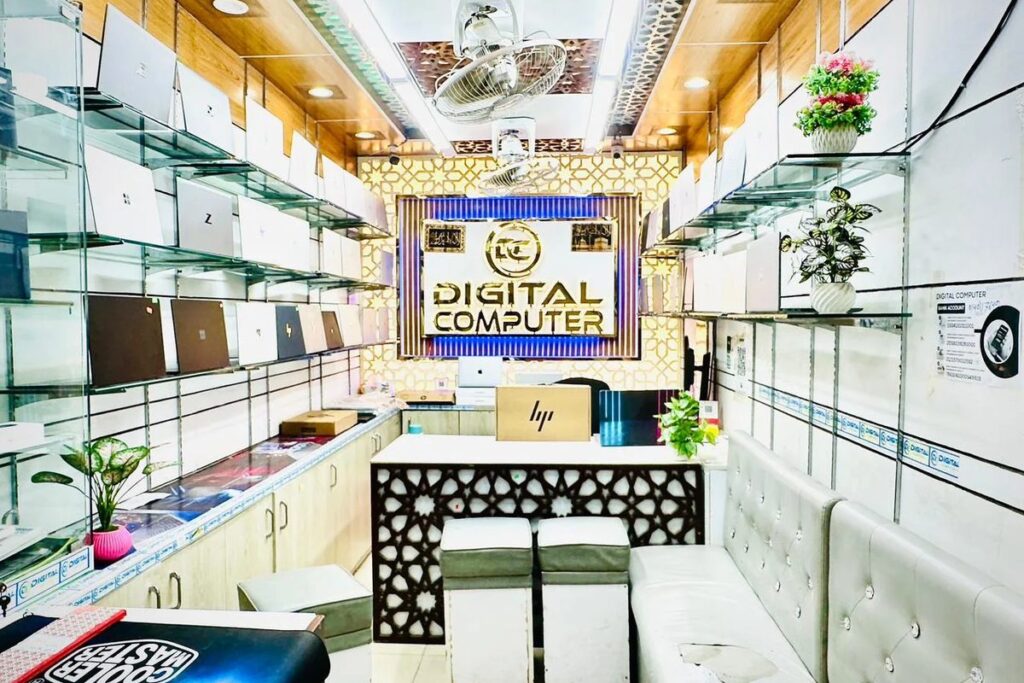
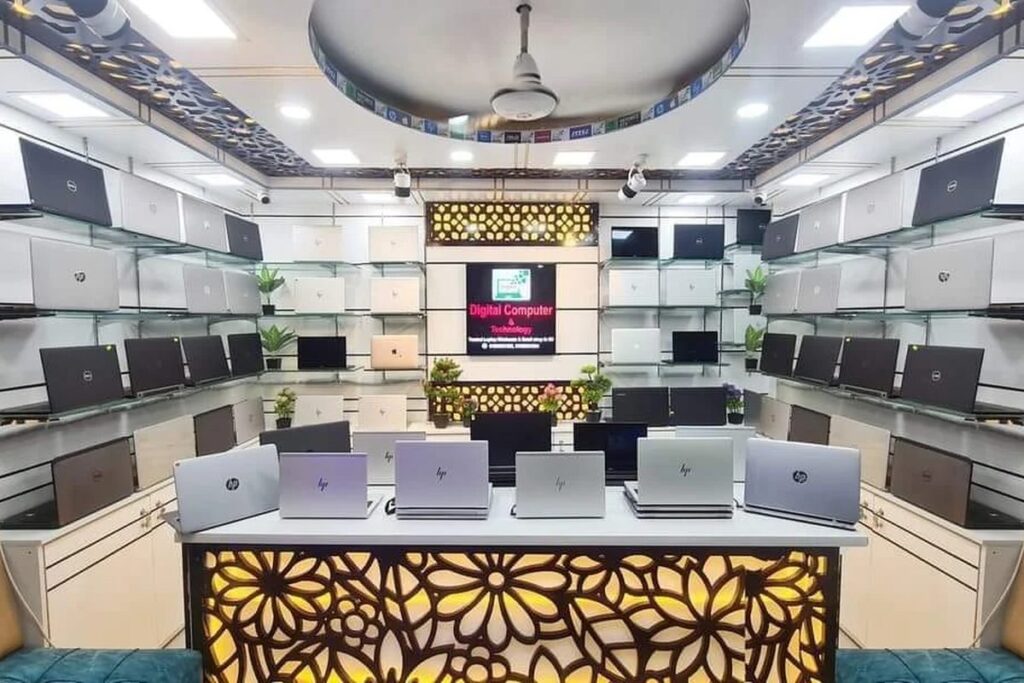
 Digital Computer Shop