


 Acer10
 ASUS2
ASUS2 MSI1
MSI1


Used Lenovo ThinkPad Price in Bangladesh (2026): T480s, T490s, T14 Gen 1–4 and Every Model Compared

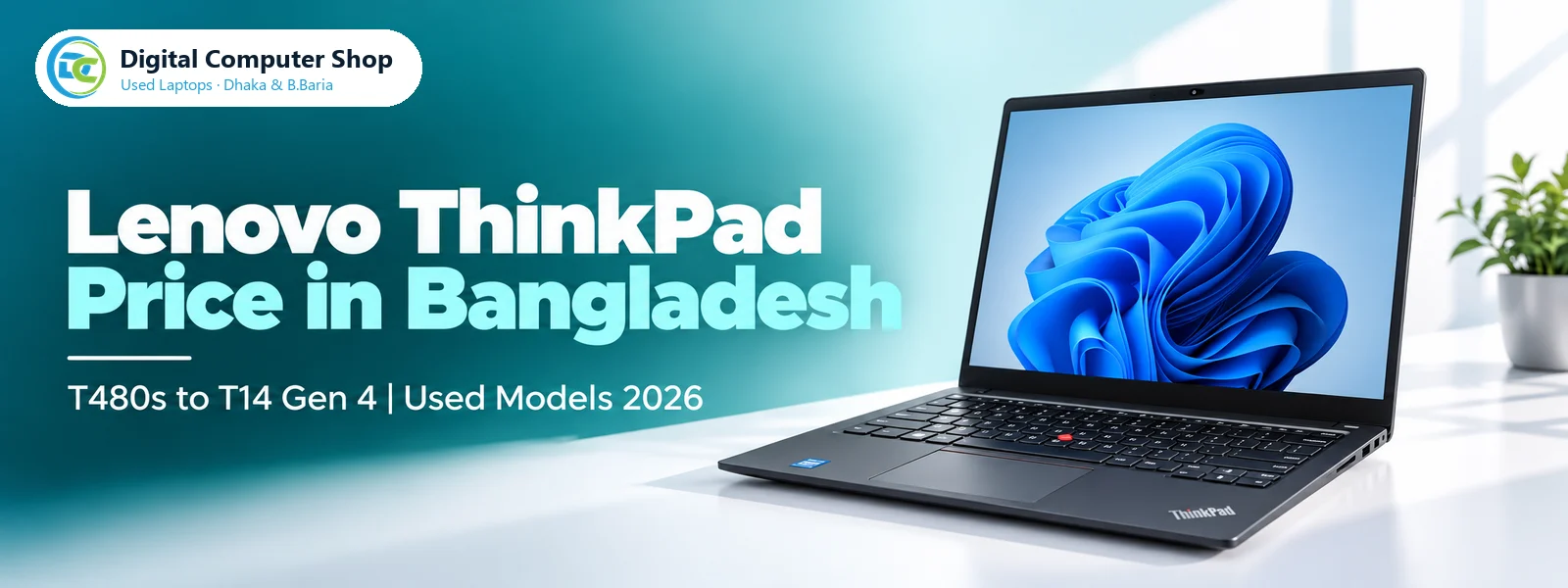
The Lenovo ThinkPad T-series has been the standard corporate laptop for banks, telecom companies and multinational offices for more than a decade, and Bangladesh’s used market now gets a steady supply of clean units from those fleets. Buyers come back to it for three reasons: the best keyboard on any laptop, the red TrackPoint that lets you move the cursor without leaving the home row, and a chassis Lenovo tests against MIL-STD-810 durability procedures.
The problem is the naming. A T480s, a T495s and a T14 Gen 3 look almost identical from the outside but sit years apart inside. This guide explains how the line evolved from the T460 to the T14 Gen 4, which models give the most performance for the money, and what to inspect before you pay. Every price below is live from our stock, and every unit is tested and covered by our service warranty.
How to read a ThinkPad T-series name
- T460, T470, T480, T490 — the middle digit is the model year: 2016, 2017, 2018 and 2019. The last digit 0 means Intel inside.
- The letter s — the slim version of the same year. A T480s is thinner and lighter than a T480, with fewer ports and no removable rear battery.
- A final 5 (T495s) — the AMD Ryzen version of that year’s slim model.
- T14 Gen 1 to Gen 4 — from 2020 Lenovo dropped the year code. T14 is the 14-inch mainstream model and the generation number counts up each year: Gen 1 (2020), Gen 2 (2021), Gen 3 (2022), Gen 4 (2023). Each generation was sold with both Intel and AMD options.
- T14s — the slim T14, the successor of the T490s.
Once you know this, any listing tells you the age and processor family before you even read the specification.
The short answer
- Tightest budget: ThinkPad T480s or T490s with 8th Gen Core i5. Four cores, Thunderbolt 3, USB-C charging and the classic ThinkPad keyboard at the lowest price of any modern business laptop.
- Best value overall: ThinkPad T14 Gen 1 or T14s Gen 1 Ryzen 5 PRO 4650U. Six cores and 16GB RAM for daily office work that never slows down.
- Best long-term buy: ThinkPad T14 Gen 3 or Gen 4 with Ryzen 5 PRO. A taller 16:10 screen, much stronger integrated graphics and years of Windows 11 support ahead.
- Need Intel: ThinkPad T14 Gen 2 or T14s Gen 2 with 11th Gen Core and Thunderbolt 4.
Generation by generation
| Model | Year | Processor family | What changed |
|---|---|---|---|
| T460 / T470 | 2016–2017 | Intel Core 6th / 7th Gen, 2 cores | Power Bridge: internal plus removable rear battery |
| T470s | 2017 | Intel Core 7th Gen, 2 cores | Slim body, both batteries internal |
| T480s | 2018 | Intel Core 8th Gen, 4 cores | First quad-core slim ThinkPad, Thunderbolt 3 |
| T490s | 2019 | Intel Core 8th Gen (Whiskey Lake), 4 cores | Thinner, lighter, narrower bezels |
| T495s | 2019 | AMD Ryzen 5 PRO 3500U, 4 cores / 8 threads | Radeon Vega 8 graphics |
| T14 / T14s Gen 1 | 2020 | Intel 10th Gen or Ryzen PRO 4000, up to 8 cores | New T14 name, AMD models jump to six and eight cores |
| T14 / T14s Gen 2 | 2021 | Intel 11th Gen or Ryzen PRO 5000 | Intel Iris Xe graphics, Thunderbolt 4 |
| T14 Gen 3 | 2022 | Intel 12th Gen or Ryzen PRO 6000 | 16:10 1920×1200 screen, larger touchpad |
| T14 Gen 4 | 2023 | Intel 13th Gen or Ryzen PRO 7040 | Newest platform we stock |
The biggest jump in everyday speed came twice: the T480s, when Intel moved from two cores to four, and the T14 Gen 1 AMD, when Ryzen PRO 4000 brought six cores to a mainstream ThinkPad. Anything older than the T480s now feels slow with modern Chrome, Teams and Windows 11.
ThinkPad T14 Gen 1 to Gen 4 — the modern ThinkPad
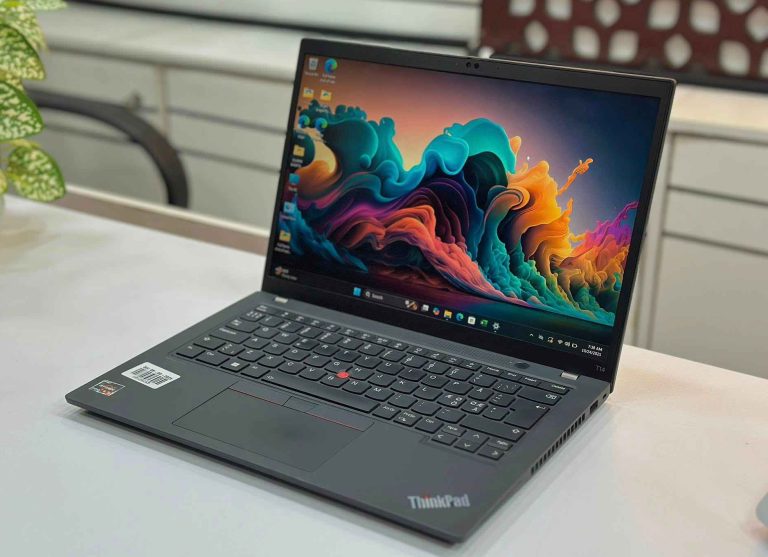
The T14 is the model to buy if you want a ThinkPad that will stay fast for years. The Gen 1 with 10th Gen Core i5 is a solid quad-core office machine. The Gen 2 moves to 11th Gen Intel with Iris Xe graphics, roughly doubling integrated graphics performance over the Gen 1 Intel, plus Thunderbolt 4 for single-cable docking. The Gen 3 is the most important upgrade: a taller 16:10 1920×1200 display that shows more of a spreadsheet or document, and on the AMD model a Ryzen 5 PRO 6650U with RDNA 2 Radeon graphics. The Gen 4 Ryzen 5 PRO 7540U uses AMD’s Zen 4 cores and is the newest ThinkPad we stock.
All T14 models keep at least some ports that slim laptops dropped: full-size HDMI, two USB-A ports and an Ethernet port on most units, which matters in offices that still run wired networks.
Lenovo ThinkPad T14 Gen 1 Core i5 10th Gen 16GB RAM 512GB SSD 14″ FHD Display Laptop
Gen 1, Core i5 10th Gen with 16GB RAM — the value T14.
Lenovo ThinkPad T14 Gen 2 Core i5 11th Gen 16GB RAM 512GB SSD 14″ FHD Display Laptop
Gen 2, Core i5 11th Gen with Iris Xe and Thunderbolt 4.
Lenovo ThinkPad T14 Gen 2 Core i7 11th Gen 32GB RAM 512GB SSD 14″ FHD Laptop
Gen 2, Core i7 11th Gen with 32GB RAM for heavy multitasking.
Lenovo ThinkPad T14 Gen 3 Ryzen 5 PRO 6650U 16GB RAM 512GB SSD 14″ FHD Display Laptop
Gen 3, Ryzen 5 PRO 6650U and a 16:10 screen.
Lenovo ThinkPad T14 Gen 4 Ryzen 5 PRO 7540U 16GB RAM 512GB SSD 14″ FHD Display Laptop
Gen 4, Ryzen 5 PRO 7540U — the newest T14 we stock.
ThinkPad T14s — slim and light
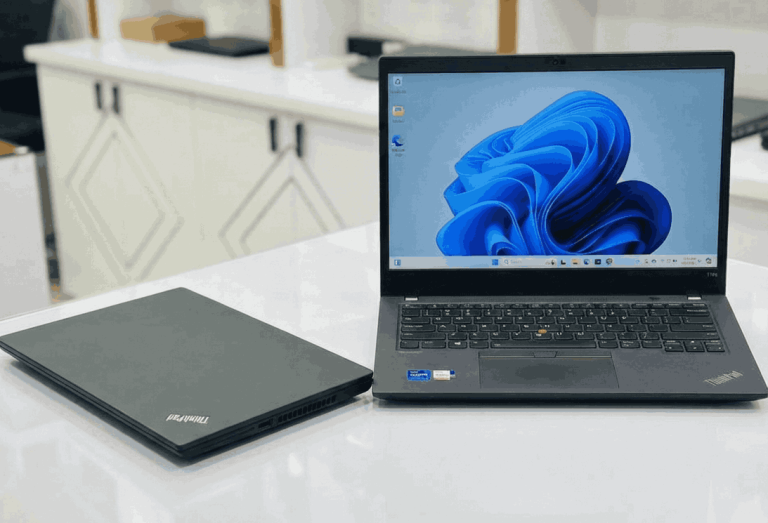
The T14s is for people who carry their laptop every day. It is thinner and lighter than the T14 and still keeps the full ThinkPad keyboard and TrackPoint. The trade-off is memory: RAM on every T14s is soldered to the board, so buy the amount you need on day one. Both units we stock come with 16GB, which is enough for office work, programming and dozens of browser tabs. The Gen 1 Ryzen 5 PRO 4650U gives six cores at a price close to older Intel slim models; the Gen 2 Core i5 11th Gen adds Thunderbolt 4 and Iris Xe graphics.
Lenovo ThinkPad T14s Gen 1 Ryzen 5 Pro 4650U 16GB RAM 256GB SSD 14″ FHD Display Laptop
Gen 1, six-core Ryzen 5 PRO 4650U with 16GB RAM.
Lenovo ThinkPad T14s Gen 2 Core i5 11th Gen 16GB RAM, 256GB SSD 14″ FHD Business Laptop
Gen 2, Core i5 11th Gen with Thunderbolt 4.
ThinkPad T480s, T490s and T495s — best value slim ThinkPads
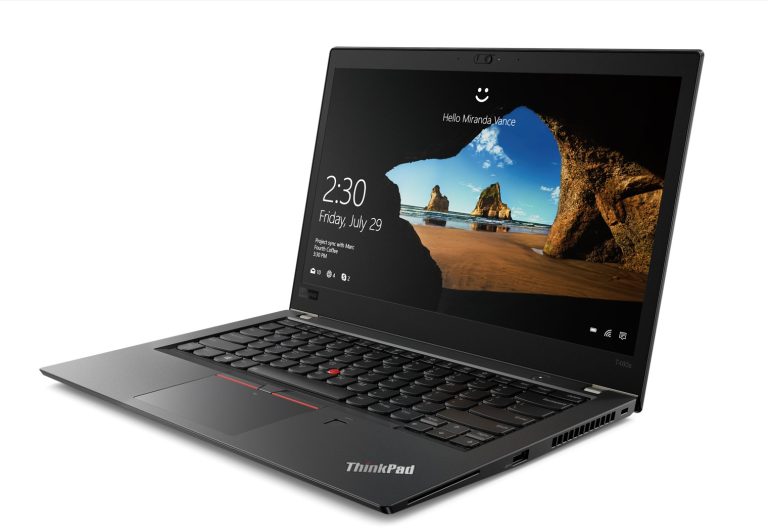
These three are the most popular budget ThinkPads in Bangladesh. The T480s was the first slim ThinkPad with a quad-core processor and Thunderbolt 3; it is still quick for Office, Zoom, online classes and browsing. The T490s is the same performance class in a thinner, lighter and more modern-looking body, with narrower screen borders; its memory is soldered, so 16GB units are worth the small extra cost. The T495s swaps Intel for a Ryzen 5 PRO 3500U with Radeon Vega 8 graphics — stronger for light photo editing and older games than the Intel UHD 620 in the T480s and T490s.
Lenovo ThinkPad T480s Core i5 8th Gen 8GB/16GB RAM 256GB SSD 14″ FHD Business Laptop
Core i5 8th Gen, quad-core with Thunderbolt 3.
Lenovo ThinkPad T490s Core i5 8th Gen 8GB, 16GB RAM 256GB SSD 14″ FHD Display Laptop
Core i5 8th Gen in the thinner T490s body.
Lenovo ThinkPad T490s Core i7 8th Gen 16GB RAM 256GB / 512GB SSD 14″ FHD Display Laptop
Core i7 8th Gen with 16GB RAM for extra headroom.
Lenovo ThinkPad T495s Ryzen 5 PRO 3500U 16GB DDR4 RAM, 256GB NVMe SSD 14″ FHD IPS Display Business Laptop
Ryzen 5 PRO with Radeon Vega 8 graphics and 16GB RAM.
ThinkPad T460, T470 and T470s — lowest price
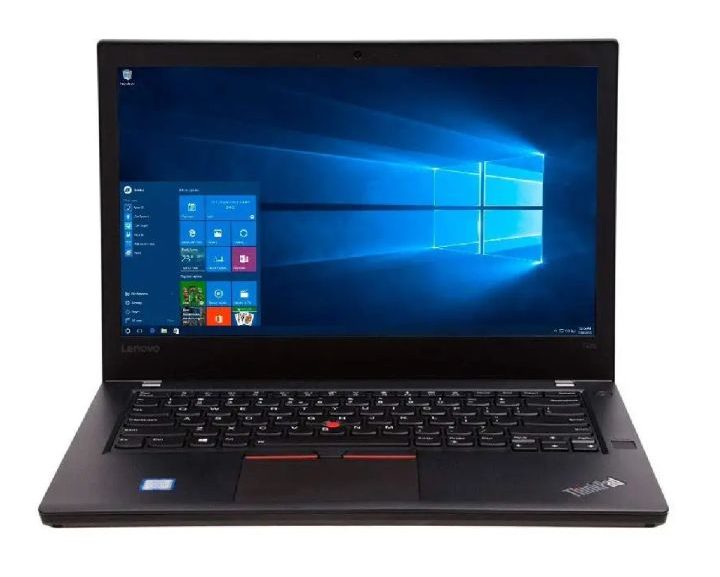
These dual-core ThinkPads are the cheapest way into the ThinkPad keyboard and build quality. They handle Microsoft Office, email, browsing and online classes with an SSD, but they slow down with many Chrome tabs or video calls running alongside other work. The T460 and T470 use Lenovo’s Power Bridge design with a removable rear battery, so a worn battery is easy and cheap to replace. Buy one of these for a simple office desk, a shop counter or a student’s first laptop — not as a five-year machine.
Lenovo ThinkPad T460 Core i5 6th Gen 8GB RAM 256GB SSD 14″ FHD Display Laptop
Core i5 6th Gen — the cheapest ThinkPad we stock.
Lenovo ThinkPad T470 Core i5 6th Gen 8GB RAM 256GB SSD 14″ FHD Business Laptop
Core i5 with Power Bridge removable battery.
Lenovo ThinkPad T470s Core i5 7th Gen 8GB RAM 256GB SSD 14″ FHD Display Laptop
Core i5 7th Gen in the slim T470s body.
Intel or AMD ThinkPad?
From the T14 Gen 1 onward, Lenovo sold every T14 with either Intel or AMD inside the same chassis. In our experience the AMD models give more performance per taka: the Ryzen 5 PRO 4650U in the T14s Gen 1 has six cores where the 10th Gen Core i5 in the T14 Gen 1 has four, and the Radeon graphics in the Gen 3 and Gen 4 AMD models are clearly stronger than the Intel graphics of the same year. Choose Intel when your office runs software certified only for Intel, when IT manages devices through Intel vPro, or when you need Thunderbolt for a specific dock. For students, freelancers and general office work, the AMD ThinkPad is the better buy.
ThinkPad vs HP EliteBook — which business laptop?
At the same generation and price, a ThinkPad T14 and an HP EliteBook 840 or 845 perform almost identically. The choice comes down to the keyboard and the build. ThinkPads have deeper key travel and the TrackPoint, which typists and programmers prefer. EliteBooks use a fuller aluminium body and usually have louder, clearer speakers. ThinkPad parts such as keyboards and batteries are also widely available in Bangladesh, which keeps future repairs cheap. If you are comparing both, read our HP EliteBook price guide alongside this one.
Which ThinkPad for students, office work and programming?
Students: a T480s, T490s or T14s Gen 1 handles Office, Google Classroom, Zoom and research with many browser tabs. Choose 16GB RAM if the model has soldered memory, because you cannot add more later.
Office and accounts: a T14 Gen 1 or Gen 2 gives full-size ports, Ethernet and a comfortable keyboard for a long day of data entry.
Programming and freelancing: a T14 Gen 2 i7 with 32GB RAM, or a T14 Gen 3 or Gen 4 Ryzen 5 PRO, runs an IDE, local servers, Docker and a browser full of documentation without strain.
Photo editing and light video: pick an AMD T14 Gen 3 or Gen 4. Their integrated Radeon graphics are the strongest in our ThinkPad range.
What to check before buying a used ThinkPad
- Keyboard and TrackPoint: test every key and the three TrackPoint buttons. A worn keyboard is replaceable, but it should be priced in.
- Battery health: ask for the battery report and compare the current full-charge capacity in Wh with the design capacity. Above 80% is good for a used business laptop.
- Screen: older T460 and T470 units were sold with both HD and Full HD panels. Confirm the resolution, and check for dead pixels and even backlight on a white page.
- RAM: on the T490s, T495s and every T14s the memory is soldered. Make sure the unit already has the RAM you need.
- Charging and ports: test USB-C charging on the T470 and newer, plus both USB-A ports, HDMI and the Ethernet port where fitted.
- BIOS and Computrace lock: corporate ThinkPads can carry a supervisor password or an absolute-tracking lock. Every ThinkPad we sell is checked and unlocked.
- Warranty: buy only with a written warranty from a shop you can walk back into — our Dhaka and Brahmanbaria branches service every laptop we sell.
For the full checklist, read our 10 things to check before buying a used laptop.
Our recommendation by budget
- Under 25,000 BDT: ThinkPad T460, T470 or T470s for basic office and study work.
- 25,000–35,000 BDT: ThinkPad T480s, T490s, T495s or T14s Gen 1 — the T14s Gen 1 if you want six cores. See more options in our best used laptops under 30,000 BDT guide.
- 35,000–50,000 BDT: ThinkPad T14 Gen 1, Gen 2, Gen 3 or T14s Gen 2 — the Gen 3 AMD is the best balance of screen, speed and price. Compare other brands in our best used laptops under 50,000 BDT guide.
- 50,000 BDT and up: ThinkPad T14 Gen 2 i7 with 32GB RAM for heavy multitasking, or the T14 Gen 4 for the newest platform.
Frequently asked questions
What is the price of a used Lenovo ThinkPad in Bangladesh?
It depends on the generation. Older dual-core models such as the T460 and T470 are the cheapest, the T480s and T490s sit in the budget range, and the T14 Gen 3 and Gen 4 cost the most. The live price of every model is shown on this page and updates automatically from our stock.
Which used ThinkPad is best value in 2026?
The ThinkPad T14s Gen 1 Ryzen 5 PRO 4650U and the T14 Gen 3 Ryzen 5 PRO 6650U give the most performance for the money. On a tight budget, the T480s and T490s with 8th Gen Core i5 are the best choice.
Is the ThinkPad T480s still good in 2026?
Yes, for office work, study, browsing and video calls. Its quad-core 8th Gen Core i5, SSD and Thunderbolt 3 keep it responsive. It is not suited to heavy editing or gaming.
Can I upgrade the RAM in a used ThinkPad?
On the T460, T470, T480s and the T14 Gen 1 and Gen 2 there is at least one memory slot you can upgrade. On the T490s, T495s and every T14s the RAM is soldered, and on newer T14 models it varies by configuration, so choose the right amount when you buy.
Do used ThinkPads from Digital Computer Shop come with a warranty?
Yes. Every ThinkPad we sell is tested, unlocked and covered by a Digital Computer Shop service warranty, with support at our Dhaka and Brahmanbaria branches.
Ready to buy? See best used laptops under 30,000 BDT · under 50,000 BDT · used laptop buying guide · used laptop price in BD, or message us on WhatsApp for a recommendation for your exact budget.
 Digital Computer Shop