


 Acer10
 ASUS2
ASUS2 MSI1
MSI1


Microsoft Surface Laptop Price in Bangladesh (2026): Go vs 3 vs 4 vs 5 Compared

The Microsoft Surface Laptop is the closest a Windows laptop gets to a MacBook: a thin aluminium body, a sharp 3:2 touch screen and one of the best keyboards in the business class. New, it is expensive in Bangladesh. Used, it becomes one of the best-value premium laptops you can buy — but only if you pick the right generation.
Five generations and two sizes sit side by side on our shelves, and the price gap between them is wide. This guide explains what changes from the Surface Laptop Go through the Laptop 2, 3, 4 and 5, which one makes sense for students, office work and travel, and what to check before you pay. Every price on this page is live from our stock, and every unit is tested and covered by our service warranty.
The short answer
- Tightest budget: Surface Laptop 2 (8th Gen Core i5) — the same premium screen and keyboard for the least money, fine for Office, browsing and online classes.
- Best value: Surface Laptop 3 or 4 with a Core i5 and 16GB RAM. USB-C, a modern processor and years of Windows 11 support.
- Newest and fastest: Surface Laptop 5 with 12th Gen Intel and Thunderbolt 4 — buy it if you dock to a monitor or want the longest life.
- Smallest and lightest: Surface Laptop Go or Go 2 — a 12.4-inch screen for students who carry the laptop all day.
- Big screen: the 15-inch Laptop 3, 4 or 5 for spreadsheets and side-by-side windows.
Surface Laptop generations at a glance
| Model | Year | Processor | Screen | Ports |
|---|---|---|---|---|
| Surface Laptop 2 | 2018 | Intel Core i5/i7 8th Gen, 4 cores | 13.5″ 2256×1504 touch | USB-A, Mini DisplayPort, Surface Connect |
| Surface Laptop 3 | 2019 | Intel Core i5/i7 10th Gen (Iris Plus); AMD Ryzen on some 15″ units | 13.5″ 2256×1504 or 15″ 2496×1664 touch | USB-C, USB-A, Surface Connect |
| Surface Laptop 4 | 2021 | Intel Core i5/i7 11th Gen (Iris Xe) or AMD Ryzen 5/7 | 13.5″ or 15″ touch | USB-C, USB-A, Surface Connect |
| Surface Laptop 5 | 2022 | Intel Core i5/i7 12th Gen, 10 cores | 13.5″ or 15″ touch | Thunderbolt 4 (USB-C), USB-A, Surface Connect |
| Surface Laptop Go / Go 2 | 2020 / 2022 | Core i5 10th Gen / 11th Gen | 12.4″ 1536×1024 touch | USB-C, USB-A, Surface Connect |
Every Surface Laptop has a touch screen in the 3:2 shape. That taller screen shows more lines of a document or web page than a normal 16:9 laptop of the same width, which is the main reason owners stay loyal to the line.
Surface Laptop 2 — the budget entry
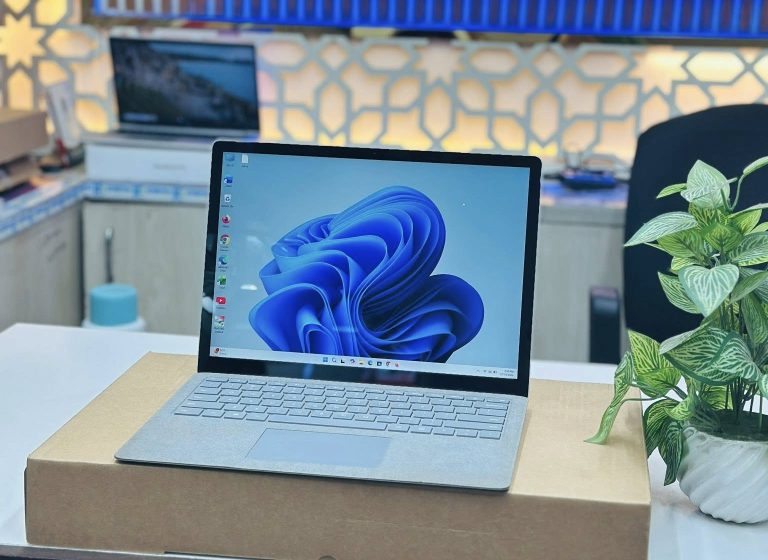
The Laptop 2 has the same 201 ppi PixelSense screen and quiet, well-spaced keyboard as later models. Its 8th Gen quad-core Intel chip is officially supported by Windows 11 and handles Office, Zoom, Google Classroom and a dozen browser tabs without trouble. The trade-off is ports: there is no USB-C, so you charge through the magnetic Surface Connect port and connect a monitor through Mini DisplayPort. Choose the 16GB RAM version if you can — RAM on every Surface Laptop is soldered and cannot be upgraded later.
Microsoft Surface Laptop 2 Core i5 8th Gen 8GB RAM 256GB SSD 13.5″ 2K Touch Display Laptop
Core i5 8th Gen, 8GB RAM — the lowest-cost route to a Surface screen.
Microsoft Surface Laptop 2 Core i5 8th Gen 16GB RAM 256GB SSD 13.5″ 2K Touch Display Laptop
Core i5 with 16GB RAM — our pick for long-term use.
Microsoft Surface Laptop 2 Core i7 8th Gen 16GB RAM 256/512GB SSD 13.5″ 2K Display Laptop
Core i7 8th Gen, 16GB RAM for heavier multitasking.
Surface Laptop 3 — USB-C arrives
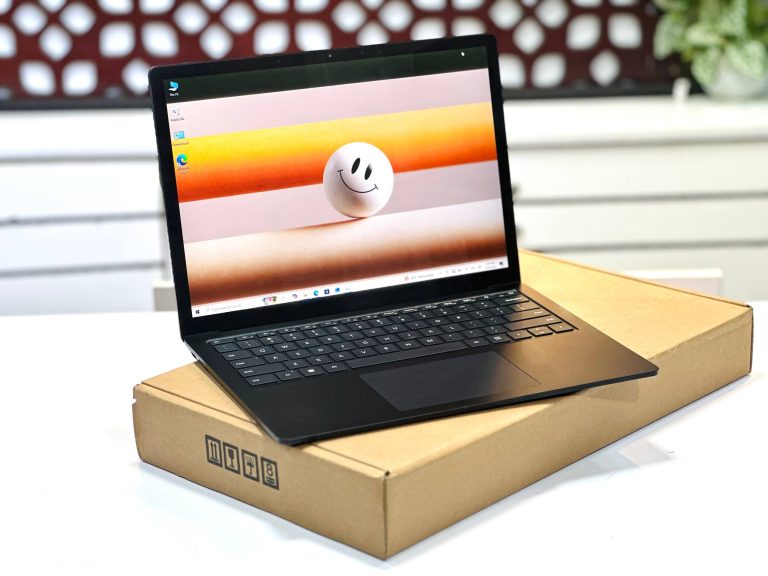
The Laptop 3 is where the line becomes truly modern. It adds a USB-C port that charges the laptop and drives an external display, the 10th Gen Ice Lake processors bring much faster Iris Plus graphics than the Laptop 2, and the storage moves to a removable M.2 SSD that a technician can replace. A 15-inch version also appears for the first time — the same slim design with a larger 2496×1664 screen for spreadsheets and split-screen work.
Microsoft Surface Laptop 3 | Core i5 10th Gen | 8GB RAM, 256GB SSD | 13.5″ 2K Display Laptop
Core i5 10th Gen, 8GB RAM — the value Laptop 3.
Microsoft Surface Laptop 3 Core i5 10th Gen 16GB RAM 256GB/ 512GB SSD 13.5″ 2K Touch Display Laptop
Core i5 with 16GB RAM — the sweet spot of this generation.
Microsoft Surface Laptop 3 Core i7 10th Gen 13.5″ 2K Display Laptop
Core i7 10th Gen for extra headroom.
Big Display Microsoft Surface Laptop 3 Core i7 10th Gen 15″ PixelSense Touch Laptop
15-inch Core i7 — the big-screen Surface at a mid-range price.
Surface Laptop 4 — the best all-rounder
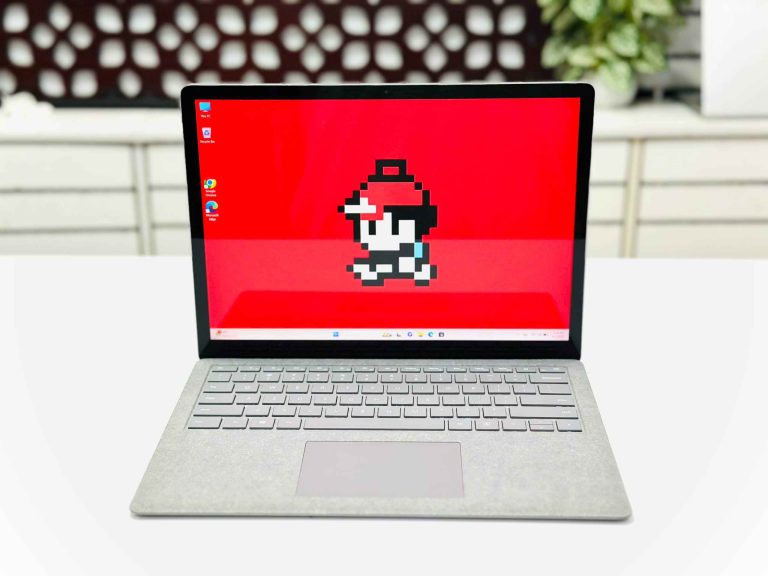
The Laptop 4 keeps the Laptop 3 body and ports and upgrades the inside. The 11th Gen Intel chips use Iris Xe graphics, a clear step up for photo editing and video calls, and Microsoft also offered AMD Ryzen versions that are efficient and quick in everyday work. For most buyers the Laptop 4 with 16GB RAM is the best balance of price, speed and remaining life.
Microsoft Surface Laptop 4 AMD Ryzen 5 13.5 Inch PixelSense Multi-Touch Display Laptop
AMD Ryzen 5 — strong performance per taka.
Microsoft Surface Laptop 4 Core i5 11th Gen 16GB RAM 256GB 512GB SSD 13.5″ Multi Touch Display Laptop
Core i5 11th Gen, 16GB RAM — our most recommended Surface.
Microsoft Surface Laptop 4 Core i7 11th Gen 16GB RAM 512GB SSD 13.5″ 2K Display Laptop
Core i7 11th Gen with 512GB SSD.
Microsoft Surface Laptop 4 | Core i7 11th Gen | 32GB RAM | 1TB SSD | 13.5″ 2K Touch Display Laptop
Core i7, 32GB RAM and 1TB SSD — the fully loaded Laptop 4.
big Display Microsoft Surface Laptop 4 Core i7 11th Gen 15″ PixelSense Touch Laptop
15-inch Core i7 11th Gen for a larger workspace.
Surface Laptop 5 — 12th Gen and Thunderbolt 4
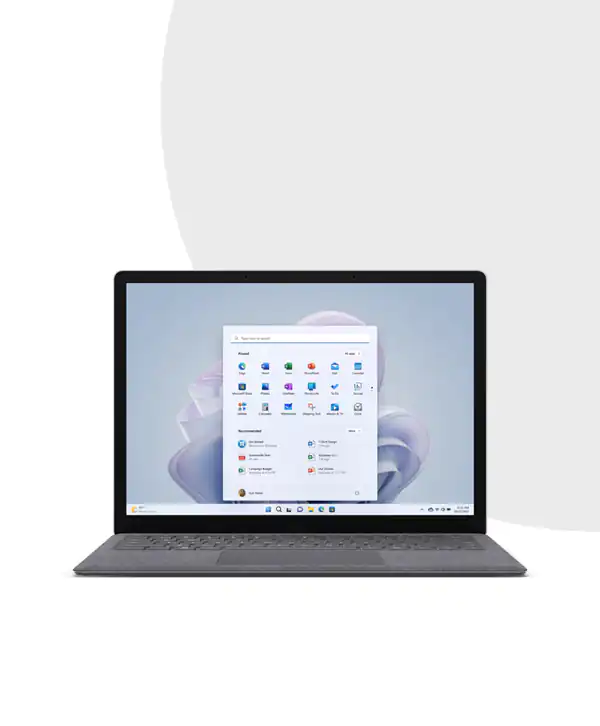
The Laptop 5 moves to 12th Gen Intel processors with ten cores, a large jump in multitasking over the four-core chips in earlier models. Its USB-C port is now Thunderbolt 4, so a single cable can run a dock, a 4K monitor, charging and fast storage. Microsoft dropped the AMD option this year. If you plan to keep the laptop for five years or more, the Laptop 5 is the safest choice.
Microsoft Surface Laptop 5 (Rose gold) Core i5 12th Gen 13.5″ Touch Laptop
Core i5 12th Gen in Rose Gold.
Microsoft Surface Laptop 5 Core i5 12th Gen 13.5″ Touch Display Laptop
Core i5 12th Gen, 13.5-inch touch screen.
Microsoft Surface Laptop 5 Intel Core i7-1255U 16GB RAM 512GB SSD 13.5″ Touch Display Laptop
Core i7-1255U, 16GB RAM, 512GB SSD.
Big Display Microsoft Surface Laptop 5 Core i7 12th Gen 15″ PixelSense Touch Laptop
15-inch Core i7 12th Gen — the largest, newest Surface Laptop we stock.
Surface Laptop Go and Go 2 — for students on the move
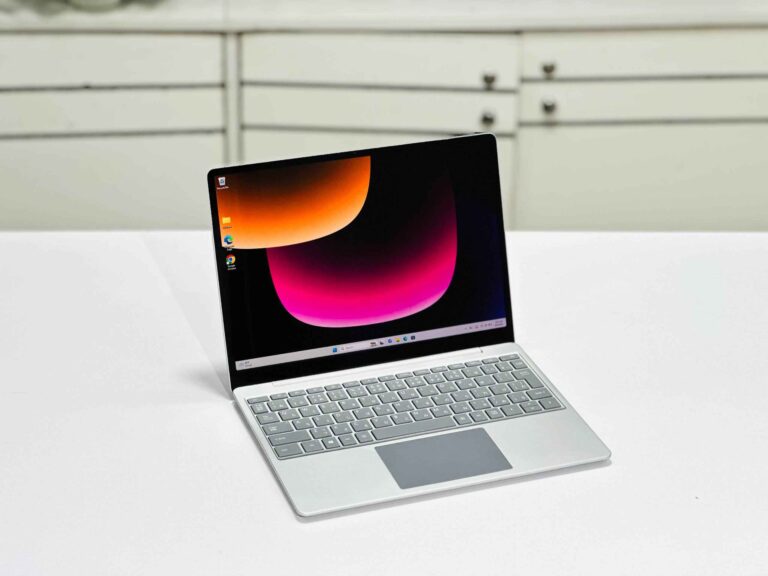
The Go models shrink the Surface Laptop to a 12.4-inch screen and a lighter body, which makes them easy to carry between classes, tuition and office. The screen resolution is 1536×1024 — lower than the 13.5-inch models, but still sharp at this size. The Go runs a 10th Gen Core i5, and the Go 2 moves to an 11th Gen Core i5 with Iris Xe graphics. Pick a unit with 16GB RAM: it keeps the laptop smooth with many browser tabs open.
Microsoft Surface Laptop Go Core i5 10th Gen 12.4″ Touch Sandstone Surface Laptop
Core i5 10th Gen in Sandstone.
Microsoft Surface Laptop Go | Core i5 10th Gen | 16GB RAM | 256GB SSD | 12.4″ Touch Display
Core i5 10th Gen with 16GB RAM.
Microsoft Surface Laptop Go 2 Core i5 11th Gen 16GB RAM 256GB SSD 12.4″ Touch Display Laptop
Go 2 with Core i5 11th Gen and 16GB RAM.
Which Surface Laptop for students, office work and editing?
Students: a Laptop Go 2 if portability matters most, or a Laptop 3 with 16GB RAM if you want the larger 13.5-inch screen. Both run Office, Zoom and research work comfortably.
Office and business: the Laptop 4 Core i5 with 16GB RAM. The 3:2 screen fits more rows of Excel and longer documents, and USB-C lets you plug into a monitor at your desk.
Photo editing and design: a Laptop 4 or 5 with Core i7. The Iris Xe graphics and colour-accurate PixelSense screen handle Lightroom and Canva well. Choose the 15-inch model if you edit for long hours.
Programming and heavy multitasking: the Laptop 5 with its ten-core 12th Gen chip, or the Laptop 4 with 32GB RAM.
Gaming: no Surface Laptop has a dedicated graphics card. Light and older games run on Iris Xe, but if gaming is a priority look at a laptop with a separate GPU instead.
What to check before buying a used Surface Laptop
- RAM: it is soldered on every model and cannot be upgraded, so buy the amount you will need for years. 16GB is the safe choice.
- Screen: check for dead pixels, pressure marks and touch response across the whole panel. Surface screens are bonded to the glass, so a cracked panel is an expensive repair.
- Keyboard deck: Platinum models often have an Alcantara fabric deck. Look for stains or peeling; the metal decks on Black and Sandstone units wear better.
- Charger: confirm the Surface Connect charger is original or a proper replacement. On the Laptop 3 and newer you can also charge from a USB-C charger of 45W or more.
- Battery health: ask for the battery report. A healthy battery matters more than the generation for real daily use.
- Account lock: make sure the laptop is free of any company management or previous Microsoft account. Every Surface we sell is reset and checked.
- Warranty: buy with a written warranty from a shop you can walk back into — our Dhaka and Brahmanbaria branches service every laptop we sell.
For the complete checklist, read our 10 things to check before buying a used laptop and the used laptop buying guide for Bangladesh.
Our recommendation by budget
- Under 40,000 BDT: Surface Laptop 2 Core i5, or a Laptop Go with 16GB RAM if you want a smaller laptop.
- 40,000–55,000 BDT: Surface Laptop 3 or 4 with Core i5 and 16GB RAM — the best value in the range.
- 55,000 BDT and up: Surface Laptop 5 for 12th Gen and Thunderbolt 4, or a 15-inch Laptop 4 or 5 for a large screen.
Browse every model in our Microsoft Surface collection or the full used laptop range.
Frequently asked questions
What is the price of a used Surface Laptop in Bangladesh?
It depends on the generation. The Surface Laptop 2 and Laptop Go are the most affordable, the Laptop 3 and 4 sit in the mid-range, and the Laptop 5 and 15-inch models cost the most. Live prices for every unit in our stock are shown on this page.
Which Surface Laptop is the best value?
The Surface Laptop 4 with a Core i5 and 16GB RAM. It has USB-C, Iris Xe graphics and a long future on Windows 11 at a mid-range used price.
Can I upgrade the RAM on a Surface Laptop?
No. RAM is soldered to the motherboard on every Surface Laptop, so choose 16GB at the time of purchase if you can.
Does the Surface Laptop have a touch screen?
Yes. Every Surface Laptop, including the Laptop Go, has a 3:2 PixelSense touch screen.
What is the difference between the Surface Laptop 4 and 5?
The Laptop 5 uses 12th Gen Intel chips with ten cores and adds Thunderbolt 4 on its USB-C port. The Laptop 4 uses 11th Gen Intel or AMD Ryzen and has standard USB-C. The design, screen and keyboard are almost the same.
Do used Surface Laptops come with a warranty?
Yes. Every Surface Laptop we sell is tested, reset and covered by a Digital Computer Shop service warranty, with support at our Dhaka and Brahmanbaria branches.
Ready to buy? See best used laptops under 30,000 BDT · under 50,000 BDT · used laptop buying guide · used laptop prices in Bangladesh, or message us on WhatsApp for a recommendation for your exact budget.
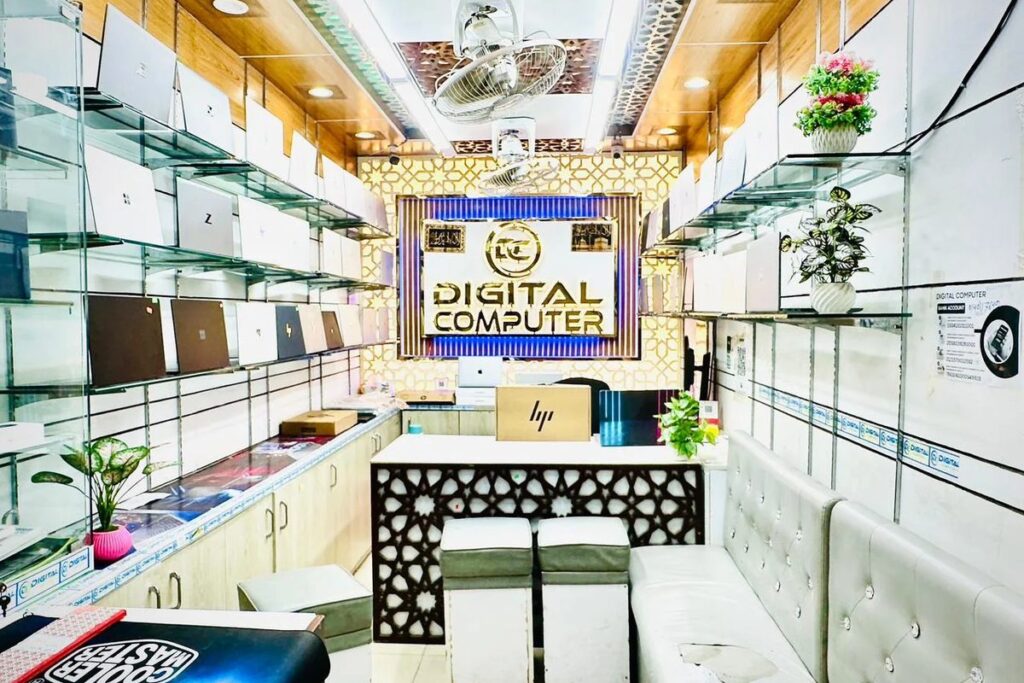
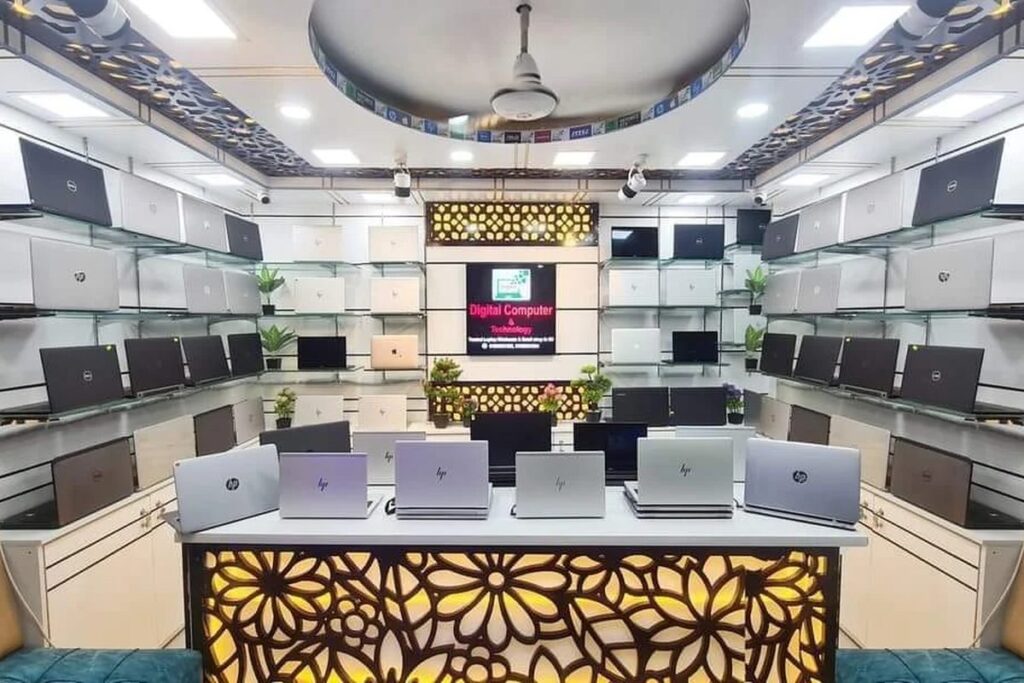

 Digital Computer Shop